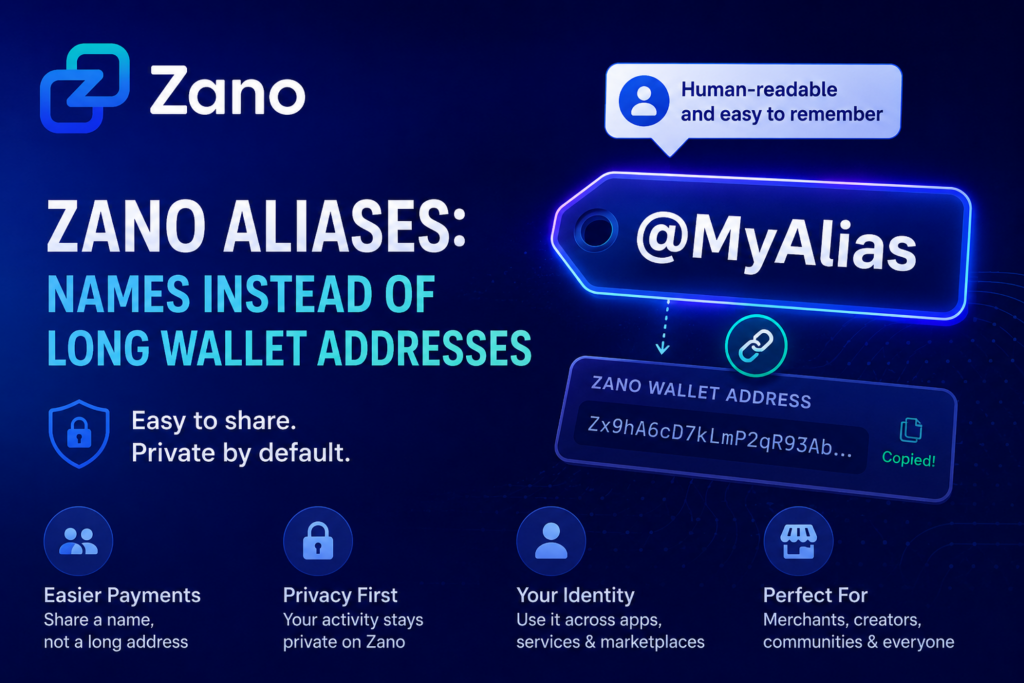
Cryptocurrency wallet addresses are often long, complicated, and difficult to remember. Zano Aliases solve this by replacing them with simple, human-readable names while keeping your privacy intact.
In Episode 6 of the Zano Explainer Series, the Zano team explains how Zano Aliases work and why they make private payments easier. Watch the video below! 👇
Table of Contents
- What Is a Zano Alias?
- Why Wallet Addresses Can Be Confusing
- How Zano Aliases Work
- Do Aliases Affect Privacy?
- How to Register a Zano Alias
- Who Can Use Zano Aliases?
- More Than Just Payments
- Why Zano Aliases Matter
1. What Is a Zano Alias?
A Zano Alias is a unique, human-readable name that replaces your long Zano wallet address.
Instead of sharing a complex wallet address filled with random letters and numbers, you can simply share a name like:
@MyAlias
Think of it as your username on the blockchain. It’s easier to remember, simpler to share, and far more convenient when sending or receiving payments.
2. Why Wallet Addresses Can Be Confusing
Traditional cryptocurrency wallet addresses are designed for security, but they aren’t very user-friendly.
A typical wallet address can contain dozens of random characters, making it difficult to type or verify. Even a small mistake can cause unnecessary stress when sending funds.
Zano Aliases remove that complexity by replacing long addresses with simple names that are much easier for people to use.
3. How Zano Aliases Work
When you register an alias, it becomes a public link to your Zano wallet address.
Instead of asking someone to send funds to a long wallet address, they only need your alias.
Behind the scenes, the payment is still delivered securely to your wallet using Zano’s privacy technology. The only difference is that the experience becomes much more user-friendly.
4. Do Aliases Affect Privacy?
No.
Although your alias is publicly linked to your Zano wallet address, your wallet activity remains private.
This means you still benefit from Zano’s advanced privacy features while enjoying a much easier way to receive payments.
In simple terms:
- Your alias is public.
- Your wallet address is linked to that alias.
- Your transactions and wallet activity remain private.
You get improved usability without giving up privacy.
5. How to Register a Zano Alias
Creating a Zano Alias is straightforward.
Simply:
- Open your Zano Wallet.
- Select Register Alias.
- Choose a unique name.
- Complete the registration.
Once registered, the alias becomes yours, much like owning a website domain or a social media username.
New to Zano? Check out our step-by-step guide on how to create your first Zano wallet before registering your alias:
👉 How to Create Your First Zano Wallet
6. Who Can Use Zano Aliases?
Aliases are useful for anyone who wants an easier way to receive private payments.
Some examples include:
- Merchants accepting cryptocurrency from customers.
- Content creators receiving private tips.
- Communities and DAOs simplifying internal payments.
- Everyday users who prefer sharing a memorable name instead of a long wallet address.
7. More Than Just Payments
Zano Aliases have uses beyond sending and receiving cryptocurrency.
They can also act as a decentralized digital identity across applications built on the Zano platform.
For example, aliases can:
- Serve as a universal identifier for Zano-based services.
- Connect to reputation systems.
- Identify users on marketplaces like ZanoTrade.
- Help create an anonymous digital identity while preserving privacy.
As the Zano ecosystem continues to grow, aliases could become an important building block for many future applications.
8. Why Zano Aliases Matter
Cryptocurrency doesn’t have to be complicated.
By replacing long wallet addresses with easy-to-remember names, Zano Aliases make private digital payments more accessible without sacrificing privacy.
Whether you’re accepting payments, supporting creators, running a business, or simply sending funds to friends, aliases help remove one of the biggest usability challenges in crypto.
It’s a simple feature that makes using private digital money feel much more natural for everyone.
Sources
Disclaimer: ZanoNews.com is an independent news and information website. This article is for informational purposes only and should not be considered financial, investment, or legal advice.