Zano Ionic Swaps: Private Crypto Trading πŸ”„

Most people trade crypto through centralized exchanges. You deposit your coins, make a trade, and the exchange takes care of the rest.

But there is another way.

Zano lets users trade directly with each other without giving their coins to a centralized exchange.

This is possible through Ionic Swaps, a built-in feature of the Zano blockchain.

In simple terms, Ionic Swaps allow two people to exchange crypto assets directly, while keeping control of their funds and protecting their transaction privacy.
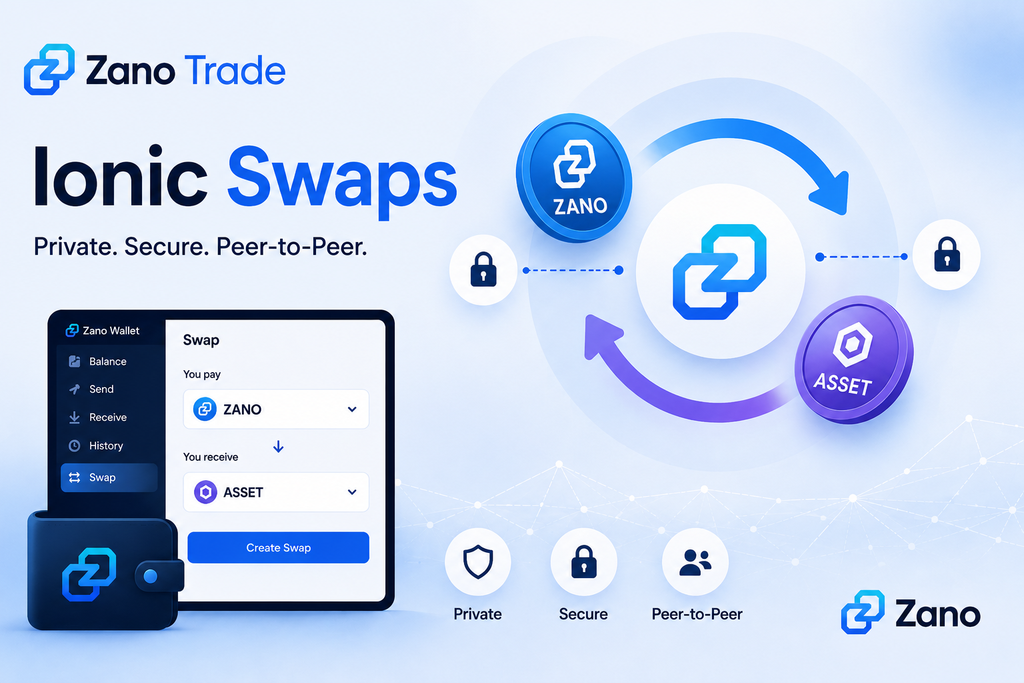
Table of Contents

  1. What Are Zano Ionic Swaps?
  2. What Do You Need to Trade?
  3. How Do Ionic Swaps Work?
  4. What Is Zano Trade?
  5. Do You Have to Give Up Your Coins?
  6. How Does Zano Protect Your Privacy?
  7. What Can You Trade?
  8. Ionic Swaps vs Traditional Crypto Exchanges
  9. Why Are Ionic Swaps Important?
  10. Why This Matters

1. What Are Zano Ionic Swaps?

Ionic Swaps are a way to trade crypto directly with another person on the Zano blockchain.

Imagine you have ZANO and want another asset.

Instead of sending your ZANO to an exchange, you can create a trade offer saying:

“I will give you this amount of ZANO in exchange for this amount of another asset.”

Another user can accept your offer.

The Zano blockchain then handles the swap.

The important part is that you keep control of your funds throughout the process.

There is no need for a centralized exchange to hold your coins.

2. What Do You Need to Trade?

To use Ionic Swaps, you need a Zano wallet with the asset you want to trade.

Your wallet is where you keep control of your funds and where you can create or accept an Ionic Swap. The official Ionic Swaps guide also includes screenshots showing the different steps, so readers can follow along visually.

In simple terms, if you want to create a swap:

  1. Open your Zano wallet and select the Swap tab.
  2. Choose the asset you want to sell and the asset you want to receive.
  3. Enter the amount and the wallet address or alias of the person you want to trade with.
  4. Set an expiration time for the swap.
  5. Create the proposal and share the generated swap code with the other trader.

If you receive a swap proposal, you can open the Swap tab in your wallet, select Confirm Swap, enter the proposal code, check the trade details and accept the proposal. The swap is then submitted to the Zano blockchain.

For users who want an easier way to find trades, Zano Trade provides a platform where you can browse available offers, while the actual exchange is handled through Ionic Swaps on the Zano blockchain.

3. How Do Ionic Swaps Work?

The process is easier than it might sound.

Step 1: Create a trade offer

You choose:

  • What you want to sell
  • What you want to receive
  • How much you want to trade
  • The price or exchange rate

Step 2: Someone accepts your offer

Another user finds your offer and decides they want to make the trade.

Step 3: The swap is created

Both sides agree to the transaction and sign it from their own wallets.

Step 4: The blockchain completes the trade

The transaction is processed on the Zano network.

The basic idea is:

Both sides get what they agreed to, or the trade does not happen.

This means users don’t have to simply trust the other person to send their side of the deal.

4. What Is Zano Trade?

Zano Trade makes Ionic Swaps easier to use.

Instead of finding someone yourself and arranging a trade manually, Zano Trade lets you browse available offers from other users.

You can look at the available trades, choose one you are interested in and accept it.

Behind the scenes, the actual exchange is handled by Ionic Swaps on the Zano blockchain.

So you can think of it this way:

Zano Trade = where you find the trade

Ionic Swap = how the trade is completed

Zano Trade is also non-custodial, meaning it does not take control of your crypto.

5. Do You Have to Give Up Your Coins?

No.

This is one of the main differences between Ionic Swaps and traditional centralized exchanges.

With a centralized exchange, you normally deposit your crypto into a wallet controlled by the exchange before trading.

With Ionic Swaps, your assets remain under your control until the swap is completed.

You don’t need to send your coins to a company and wait for the company to process your trade.

Instead, the trade happens directly between the participants through the Zano blockchain.

6. How Does Zano Protect Your Privacy?

Privacy is a major part of Zano.

On many public blockchains, people can look at transactions and see information such as wallet addresses and transaction amounts.

Zano takes a different approach.

Its privacy technology is designed to hide important transaction information, including:

  • Wallet addresses
  • Transaction amounts
  • Asset information
  • Transaction history

This also applies when using Zano Trade.

For someone looking at the public blockchain, the details of a completed trade are not simply displayed for everyone to see.

That can be important for people who don’t want their financial activity publicly exposed.

7. What Can You Trade?

Ionic Swaps are not only for trading ZANO.

They can also be used with Confidential Assets created on the Zano blockchain.

For example, users can potentially trade:

ZANO ↔ Confidential Asset

or

Confidential Asset ↔ Confidential Asset

depending on the available trading pairs.

Confidential Assets are tokens that use Zano’s privacy technology.

This gives projects the ability to create their own assets while benefiting from the privacy features built into the Zano network.

8. Ionic Swaps vs Traditional Crypto Exchanges

So how is this different from using a normal crypto exchange?

Traditional ExchangeZano Ionic Swaps
Exchange holds your fundsYou keep control of your funds
Centralized platformPeer-to-peer
Trading happens through the exchangeTrading happens on the Zano blockchain
Transaction information may be publicly visible depending on the platformZano provides privacy by design
Requires trusting the exchangeUses blockchain-based settlement

This doesn’t necessarily mean centralized exchanges are bad.

They can be convenient and offer many trading features.

But Ionic Swaps provide another option for people who value privacy, self-custody and peer-to-peer trading.

9. Why Are Ionic Swaps Important?

Ionic Swaps bring several useful features together.

πŸ” Privacy

Your trading activity benefits from Zano’s privacy-focused blockchain.

πŸ‘› Self-custody

You keep control of your crypto instead of depositing it with a centralized exchange.

🀝 Peer-to-peer trading

You can trade directly with another user.

⛓️ On-chain trading

The blockchain handles the transaction rather than a centralized company.

🚫 No traditional middleman

Zano Trade helps users find trading offers, while the actual swap is handled on-chain.

⚑ Fast settlement

Zano’s documentation says Ionic Swaps require one confirmation and typically complete in around one minute.

Together, these features create a different way to think about crypto trading.

10. Why This Matters

Crypto trading doesn’t always have to mean sending your coins to a centralized exchange.

Zano Ionic Swaps provide another option.

You can trade directly with another person, keep control of your funds and benefit from Zano’s privacy technology.

And with Zano Trade, finding and accepting these trades becomes easier for everyday users.

You don’t need to understand all the technical details behind Ionic Swaps to understand the main idea:

Trade directly. Keep control. Keep your transactions private.

That’s what makes Ionic Swaps an interesting part of the Zano ecosystem.

Learn More

Disclaimer: ZanoNews.com is an independent news and information website. This article is for informational purposes only and does not constitute financial or investment advice.
From Bitcoin’s Original Vision to Zano’s Private Digital Economy πŸ”

Bitcoin started with a simple idea: people should be able to send money directly to each other without needing a bank in the middle.

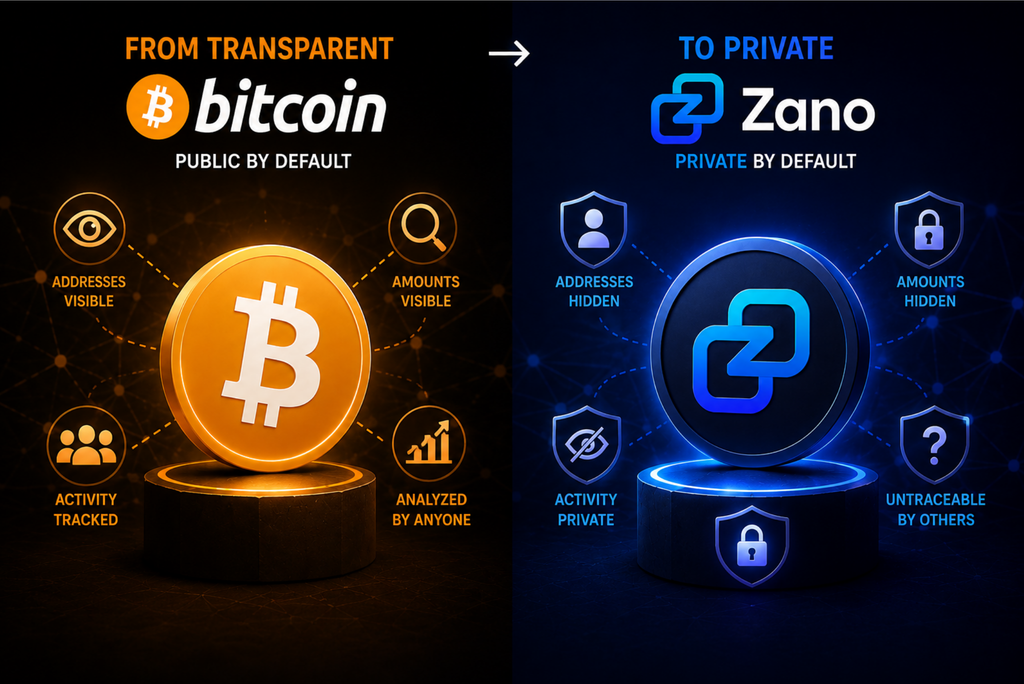
But Bitcoin transactions are publicly recorded, meaning wallet addresses, amounts and transaction history can be analysed. Zano takes a different approach by making privacy part of the network from the beginning.

πŸŽ₯ From Bitcoin’s Original Vision to Zano’s Private Digital Economy πŸ‘‡

Table of Contents

  1. Bitcoin’s Original Idea
  2. What Changed Over Time?
  3. Why Privacy Matters
  4. What Makes Zano Different?
  5. More Than Just Private Payments
  6. From Bitcoin to Private Digital Assets
  7. Why This Matters

1. Bitcoin’s Original Idea

When Bitcoin was introduced in 2008, its goal was to create peer to peer electronic cash.

In simple terms, that means one person could send digital money directly to another person without relying on a bank or other middleman.

That idea changed how people thought about money and financial control.

2. What Changed Over Time?

Bitcoin has grown far beyond its early use as digital cash.

Today, many people see Bitcoin primarily as a long term investment or digital store of value.

Bitcoin itself still works as a peer to peer network, but its public blockchain creates an important difference from traditional cash:

Bitcoin transactions can be viewed and analysed by anyone.

Wallet addresses, transaction amounts and the movement of funds are recorded publicly.

For users who value financial privacy, this can be a serious concern.

3. Why Privacy Matters

Imagine if every time you paid for something, anyone could look up:

  • How much you spent
  • Where your money came from
  • Where you sent it
  • How much money remained in your wallet

That is essentially the problem with transparent blockchains.

Your real name may not appear next to a wallet address, but activity can potentially be analysed and connected to people over time.

Zano was designed with a different approach.

4. What Makes Zano Different?

On Zano, privacy is enabled by default.

The network is designed to hide important transaction information, including:

  • The sender
  • The receiver
  • The amount
  • The type of asset being transferred

Instead of making users find and activate privacy tools themselves, Zano builds privacy directly into the blockchain.

This means privacy is part of the normal experience rather than an optional extra.

5. More Than Just Private Payments

Zano is not focused only on sending its native $ZANO coin.

The network also supports Confidential Assets, which are private digital tokens that can represent different types of value.

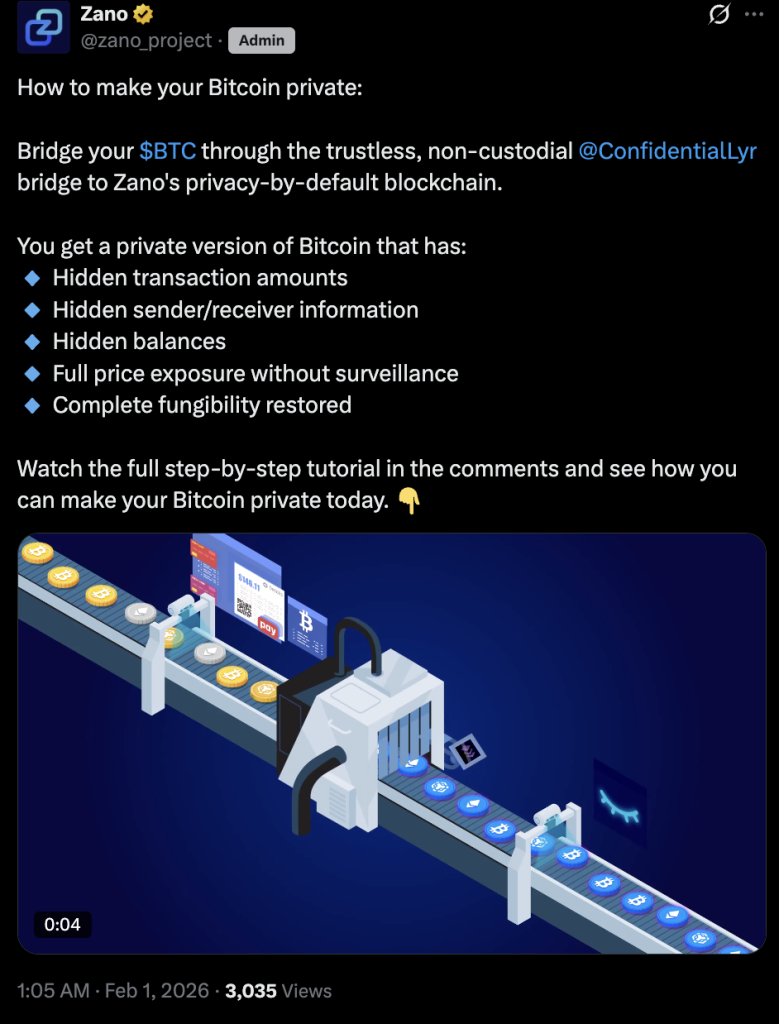
For example, Zano supports private versions of assets such as Bitcoin and other cryptocurrencies through its broader ecosystem.

This means the idea is bigger than simply creating a private cryptocurrency.

The goal is to build a private digital economy where different types of digital assets can be used while keeping transaction information confidential.

6. From Bitcoin to Private Digital Assets

One example is BTCx, a Bitcoin backed asset on Zano.

The basic idea is:

BTC β†’ Zano β†’ BTCx

Bitcoin can be brought into the Zano ecosystem and represented as BTCx, allowing users to benefit from Zano’s privacy features while maintaining exposure to Bitcoin.

We have explained this in more detail here:

πŸ‘‰ From Bitcoin to BTCx: A More Private Way to Use Bitcoin

This approach could give people another choice: keep exposure to familiar digital assets while using them in a more private environment.

7. Why This Matters

Bitcoin showed that digital money could work without a traditional bank sitting in the middle.

Zano is taking that idea in another direction by asking another important question:

Can digital money also give people greater control over their financial privacy?

For Zano, privacy is not an optional feature added later. It is part of the foundation of the network.

And with Confidential Assets, the idea goes beyond private payments toward a broader private digital economy.

Sources

Disclaimer: ZanoNews.com is an independent news and information website. This article is for informational purposes only and does not constitute financial or investment advice.
Shops Don’t Accept ZANO? You Can Still Spend It πŸ’³

You might think you can only spend $ZANO or $fUSD at shops that directly accept them. But that is not necessarily the case.

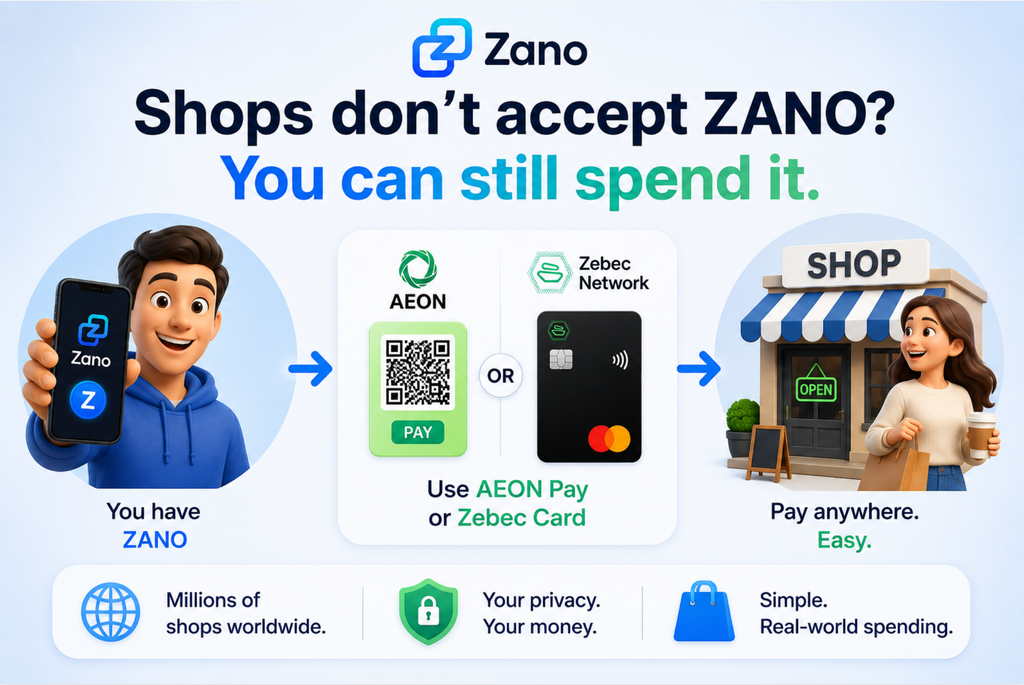
Payment services like AEON Pay and Zebec can let you use your Zano assets while the shop continues receiving payment through its usual system.

Table of Contents

  1. Do Shops Need to Accept ZANO?
  2. How Does It Work?
  3. Pay With ZANO Using AEON Pay
  4. Spend With ZANO Using Zebec
  5. Why Does This Matter?
  6. What This Means for Everyday Users
  7. Learn More

1. Do Shops Need to Accept ZANO?

Not necessarily.

A shop does not need to have a Zano wallet or directly accept $ZANO or $fUSD for you to potentially spend them.

Instead, a payment service can handle the crypto side while the merchant receives payment through its existing system.

In simple terms:

Your ZANO or fUSD β†’ Payment service β†’ Shop

The shop can continue using the payment method it already supports.

2. How Does It Work?

Think of these services as a bridge between your crypto and everyday payments.

You use your ZANO or fUSD, while the payment service handles the conversion or payment processing in the background.

This means you don’t necessarily need to ask a shop:

β€œDo you accept ZANO?”

You may simply be able to pay through a supported payment service.

Two options highlighted by Zano are AEON Pay and Zebec.

3. Pay With ZANO Using AEON Pay

AEON Pay works as a mini app inside Telegram.

You can top it up with ZANO or fUSD, then scan a QR code at a supported checkout. The merchant receives payment in their local currency.

According to Zano, AEON Pay is accepted at 50M+ merchants worldwide, mainly across emerging markets.

We have already explained how it works in more detail:

πŸ‘‰ How to Spend ZANO with AEON Pay πŸ’³

4. Spend With ZANO Using Zebec

Zebec offers another way to spend ZANO and fUSD.

You can top up a supported Zebec card through the Zebec Super App using ZANO or fUSD, then use the card wherever Mastercard is accepted.

The shop does not need to accept ZANO directly. It simply processes your payment like any other Mastercard transaction.

We covered the Zebec card and how it works in more detail here:

πŸ‘‰ ZANO and Zebec Cards: How to Spend Private Crypto in the Real World

You can also read about the original Zano and Zebec integration:

πŸ‘‰ The Zebec Network x Zano Integration Is Now Live

5. Why Does This Matter?

Getting every shop to directly accept a cryptocurrency would be difficult.

Payment services can make things much simpler.

A recent Zano community poll highlighted the challenge, with 44% of respondents saying that nowhere they shop currently accepts ZANO or fUSD. But as the examples above show, direct merchant acceptance is not always necessary.

Instead of asking merchants to change how they accept payments, services like AEON Pay and Zebec can work with existing payment systems.

This could make ZANO and fUSD more practical for everyday spending.

6. What This Means for Everyday Users

Imagine you have $ZANO or $fUSD and want to buy something from a shop that has never heard of Zano.

You may still have a way to pay.

With services such as AEON Pay or Zebec, the merchant does not necessarily need to accept ZANO or fUSD directly.

You use your Zano assets. The payment service handles the rest. πŸ’³

Of course, availability depends on the service, country, merchant and applicable payment restrictions.

7. Learn More

Zano is continuing to explore ways to make its private assets more useful beyond simply holding or transferring them on the blockchain.

The bigger idea is easy to understand:

A shop doesn’t always need to accept ZANO for you to spend ZANO. 🌍

Sources

Disclaimer: ZanoNews.com is an independent news and information website. This article is for informational purposes only and does not constitute financial or investment advice.
Zano Updates Its Introduction Guide With the Latest Developments πŸ“˜

New to Zano or trying to explain it to someone else?

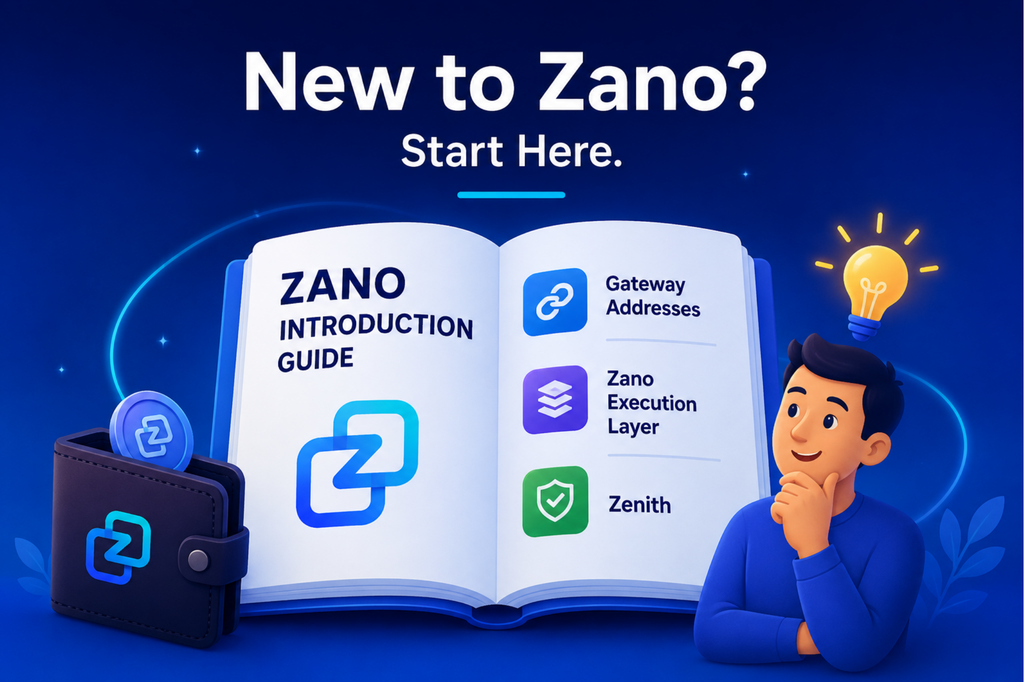
Zano has updated its official Introduction Guide to include some of its latest developments, including Gateway Addresses, the Zano Execution Layer and Zenith. It gives newcomers a simple place to learn about Zano, its privacy technology and where the project is heading.

Table of Contents

  1. What Is the Zano Introduction Guide?
  2. What Has Been Updated?
  3. Gateway Addresses
  4. The Zano Execution Layer
  5. Zenith
  6. Who Is the Guide For?
  7. Where Can You Read It?
  8. What This Means for New Users

1. What Is the Zano Introduction Guide?

The Zano Introduction Guide is a beginner friendly resource designed to explain the Zano ecosystem in one place.

It helps readers understand the basics of Zano, including its privacy features, wallets, Confidential Assets, staking, mining and other parts of the ecosystem.

The latest version has now been updated to reflect some of Zano’s newest developments.

2. What Has Been Updated?

The updated guide includes information about three important areas of Zano’s development:

Gateway Addresses
A new address system designed to make it easier for exchanges, bridges and other services to connect with Zano.

Zano Execution Layer
A planned environment for smart contracts and decentralized applications that works alongside Zano’s privacy focused main blockchain.

Zenith
A planned upgrade that would move Zano from its current hybrid Proof of Work and Proof of Stake system toward pure Proof of Stake.

Each of these developments could play an important role in Zano’s future.

3. Gateway Addresses

Gateway Addresses are designed to make Zano easier for exchanges, wallets, bridges and other crypto services to integrate.

For everyday users, the idea is simple: make it easier for more services to support Zano without removing its privacy.

We have already explained Gateway Addresses in more detail here:

πŸ‘‰ How Gateway Addresses Could Bring Zano to More Exchanges

You can also read our earlier overview:

πŸ‘‰ Gateway Addresses Are Coming: The Game-Changer for Zano Adoption

4. The Zano Execution Layer

The Zano Execution Layer, or ZEL, is designed to give Zano a separate environment for smart contracts and decentralized applications.

Think of it simply as an additional layer that can handle applications such as trading, lending and other Web3 services, while Zano’s main blockchain continues to focus on privacy.

We have already covered ZEL in detail:

πŸ‘‰ Zano Execution Layer (ZEL) Explained: Smart Contracts Without Changing Zano’s Privacy

5. Zenith

Zenith is Zano’s longer term plan to move from its current hybrid Proof of Work and Proof of Stake system to pure Proof of Stake.

In simple terms, Proof of Stake allows users to help secure the network by staking their coins instead of relying on mining.

Zenith is still under development, so it is a future upgrade rather than something users need to change today.

For a deeper explanation, read:

πŸ‘‰ Zenith: Zano’s Move to Pure Proof of Stake Explained

We also covered the bigger picture behind Zenith here:

πŸ‘‰ The Biggest Change in Zano’s History Is Coming 🧭

6. Who Is the Guide For?

You do not need to be a blockchain expert to use the guide.

It is useful if you:

  • Are completely new to Zano
  • Want to understand Zano’s privacy features
  • Want to learn about the Zano ecosystem
  • Want to explain Zano to a friend or colleague
  • Want a simple overview of where Zano is heading

Instead of searching through different articles and technical documents, the guide brings the main information together in one place.

7. Where Can You Read It?

You can read the updated Zano Introduction Guide here:

πŸ‘‰ Zano Introduction Guidebook

You can also visit the Zano introduction website for more information about the project and its ecosystem:

πŸ‘‰ Zano Introduction Website

8. What This Means for New Users

Zano continues to develop beyond its original focus on private cryptocurrency transactions.

Gateway Addresses are designed to make integrations easier, the Execution Layer could bring more applications and smart contracts to the ecosystem, and Zenith represents a future move toward pure Proof of Stake.

For someone discovering Zano today, the updated guide provides a useful starting point to understand where Zano is now and where it could be heading next.

If you have been curious about Zano but did not know where to start, this is a good place to begin. πŸ‘‡

Sources

Disclaimer: ZanoNews.com is an independent news and information website. This article is for informational purposes only and does not constitute financial or investment advice.
Zano Hard Fork 6 Is Only a Few Days Away πŸ”₯

Zano’s Hard Fork 6 is a major network upgrade designed to improve how Zano connects with exchanges, wallets, bridges and other crypto services, while keeping its privacy features intact.

Table of Contents

  1. When Is Hard Fork 6?
  2. What Is Changing?
  3. Why Do Gateway Addresses Matter?
  4. What Do Users Need to Do?
  5. How HF6 Improves Wallet Security
  6. What About Zano’s Privacy?
  7. Learn More About Hard Fork 6
  8. What Comes Next?

1. When Is Hard Fork 6?

Zano’s Hard Fork 6 activated at block 3,833,000 on August 26, 2026, marking a major upgrade for the Zano network.

⚠️ Hard Fork 6 Wallet Update

Before the upgrade, the Zano team reminded full-node desktop wallet users to download the latest wallet and allow it to fully resync to stay connected to the network.

πŸ‘‰ Download the latest Zano wallet

If you use a full-node desktop wallet, make sure you are running the latest version and that your wallet has fully synced.

2. What Is Changing?

One of the main changes coming with Hard Fork 6 is Gateway Addresses.

These are designed to make it easier for exchanges, wallets, bridges, DEXes and other services to connect with Zano.

We have already explained Hard Fork 6 and its main changes in more detail here:

πŸ‘‰ Zano Hard Fork 6: Opening the Door to More Wallets, Exchanges and Apps 🌍

3. Why Do Gateway Addresses Matter?

For everyday users, you do not need to understand all the technical details.

The simple idea is that Gateway Addresses can make it easier for crypto services to connect with Zano and support $ZANO.

This could help open the door to more exchanges, wallets, bridges and applications supporting Zano in the future.

HF6 also adds per output payment IDs. In simple terms, this makes it easier for exchanges and other services to match a deposit to the correct account while keeping the recipient’s privacy protected. πŸ”’

We have also covered Gateway Addresses in more detail in our previous article:

πŸ‘‰ What Are Gateway Addresses?

4. What Do Users Need to Do?

If you use a Zano wallet, make sure you are running the latest wallet version before Hard Fork 6 activates.

Zano has released the updated wallet, so users should update it and allow the wallet to fully sync with the network.

You can find the latest wallet here:

πŸ‘‰ Zano Wallets

We also covered the wallet update ahead of HF6 here:

πŸ‘‰ Zano Wallet Update Prepares Users for Hard Fork 6 πŸ”₯

If you run a node, mining pool, exchange or other Zano service, make sure your infrastructure is updated as well.

5. HF6 Also Brings Stronger Wallet Security

Hard Fork 6 is not only about making Zano easier for exchanges, wallets and bridges to integrate.

The HF6 wallet release also improves wallet file security by using ChaCha20 streaming encryption. This makes a stolen or copied wallet file much harder to crack.

For regular users, the takeaway is simple: if you are still using an older Zano wallet, update to the latest version before HF6.

πŸ‘‰ Download the latest Zano wallet

6. What About Zano’s Privacy?

Hard Fork 6 is not about removing Zano’s privacy.

Zano’s core privacy remains intact.

Gateway Addresses are mainly designed to make integration easier for external services, while regular users can continue using Zano’s private addresses.

The goal is simple:

Make Zano easier to connect with without giving up its privacy.

7. Learn More About Hard Fork 6

If you want to understand the bigger picture, including Gateway Addresses and what HF6 could mean for exchanges, wallets and applications, check out our full guide:

πŸ‘‰ Zano Hard Fork 6: Opening the Door to More Wallets, Exchanges and Apps 🌍

You can also learn more about how Zano’s bridging technology fits into the post-HF6 ecosystem:

πŸ‘‰ How Does Zano’s Trustless Bridging Work After HF6? πŸ”—

8. What Comes Next?

Hard Fork 6 is now just days away.

For regular Zano users, the main thing to do is simple: update your wallet, let it fully sync, and stay ready for the upgrade.

For exchanges, wallets, bridges and other services, HF6 could make integrating with Zano much easier.

The upgrade could be an important step toward making Zano more accessible to the wider crypto world while keeping privacy at its core. πŸ”₯

Sources

Disclaimer: ZanoNews.com is an independent news and information website. This article is for informational purposes only and does not constitute financial or investment advice.
Zano’s Private $fUSD Could Soon Reach More Crypto Markets

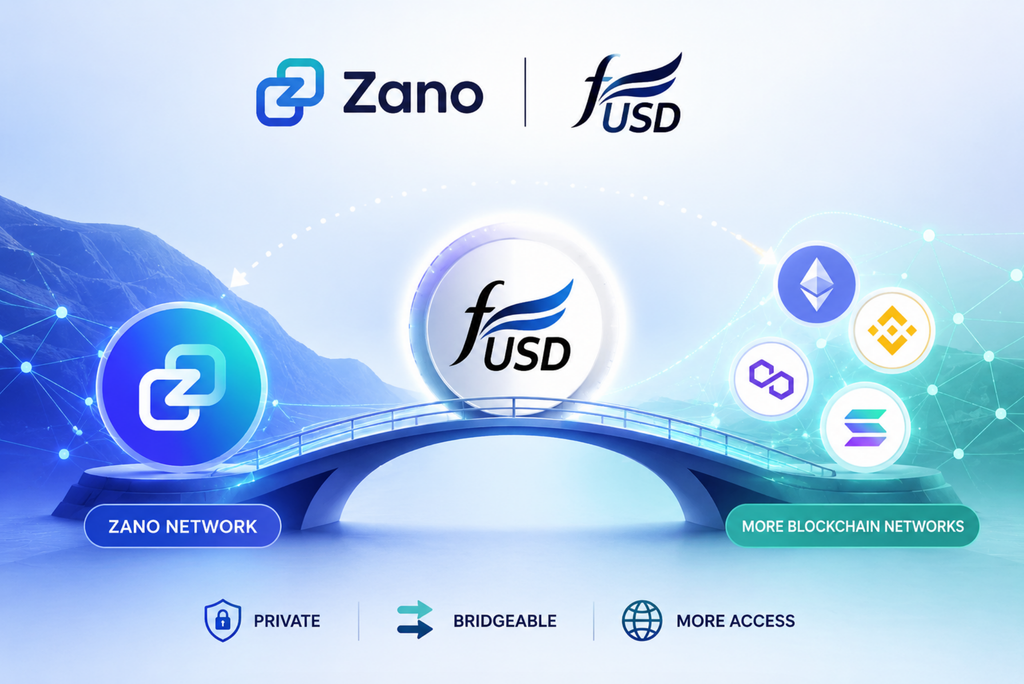
Zano is working on a way to connect its private stablecoin, $fUSD, with other crypto networks. This could let people keep their funds private on Zano while also accessing more crypto markets and services when they want.

Table of Contents

  1. Zano Is More Than $ZANO
  2. What Is $fUSD?
  3. Why Does $fUSD Need to Reach Other Networks?
  4. How Could Zano’s Execution Layer Help?
  5. A Simple Example
  6. What Could This Mean for Users?
  7. The Bigger Picture

1. Zano Is More Than $ZANO

When people hear about Zano, they often think about its native cryptocurrency, $ZANO.

But Zano is also building an ecosystem of private digital assets called Confidential Assets.

One example is $fUSD, a private stablecoin designed to maintain a value close to the US dollar while benefiting from Zano’s privacy features.

According to Zano, Confidential Assets such as fUSD will be able to move beyond the Zano network once the Zano Execution Layer arrives.

This could make private assets like fUSD useful in a much wider part of the crypto world.

2. What Is $fUSD?

A stablecoin is a type of cryptocurrency designed to keep a relatively stable value, usually by tracking a traditional currency such as the US dollar.

$fUSD is Zano’s private stablecoin.

The idea is to combine the convenience of a digital dollar with Zano’s focus on financial privacy.

For people who are new to crypto, you can think of fUSD as a private digital version of the US dollar that can be used within the Zano ecosystem.

If you want to understand fUSD before going deeper, check out our beginner friendly guide: πŸ‘‰ What Is fUSD? Zano’s Private Stablecoin

3. Why Does $fUSD Need to Reach Other Networks?

Why would a private stablecoin need to leave Zano?

The simple answer is access.

Some of the biggest crypto markets and financial applications operate on other blockchain networks.

These include DeFi, short for decentralized finance. DeFi allows people to trade, lend and borrow digital assets using blockchain based applications rather than traditional banks.

Today, a private stablecoin like fUSD has limited access to these wider markets.

Bridging could change that.

4. How Could Zano’s Execution Layer Help?

Zano is developing an Execution Layer designed to expand what can be built and used around the Zano ecosystem.

According to Zano, once the Execution Layer arrives, Confidential Assets such as fUSD will be bridgeable to other blockchain networks.

In simple terms, a bridge is a way to move an asset between different blockchain networks so it can be used in another ecosystem.

This could allow users to:

  1. Hold fUSD privately on Zano.
  2. Bridge it to a supported blockchain.
  3. Use it in available DeFi applications and markets.
  4. Bring it back to Zano when they want.

The bigger idea is to give users more choice without forcing them to give up the privacy benefits available on Zano.

5. A Simple Example

Imagine you have $1,000 worth of fUSD.

You want to keep your funds private, so you hold them on Zano.

Later, you want to use some of that money in a DeFi application operating on another blockchain.

With the planned bridging capability, you could potentially move your fUSD to that network and use the available services.

When you are finished, you could bring the asset back to the Zano ecosystem.

Think of it like a bridge between two cities.

You can keep your money in one place when you want, but when you need access to something in another place, you have a way to get there.

6. What Could This Mean for Users?

If the planned functionality becomes available, it could make fUSD more useful beyond the Zano network.

For everyday users, this could mean:

More choice: Use fUSD privately on Zano or access supported markets elsewhere.

More opportunities: Potentially use fUSD for trading, lending and other DeFi activities on supported networks.

Privacy when needed: Keep your funds within Zano when privacy is your priority.

Access to wider markets: Connect a private stablecoin with markets and services available on other blockchain networks.

This could help address one of the challenges faced by private cryptocurrencies today: having privacy while still being able to access the wider crypto ecosystem.

7. The Bigger Picture

Zano is working toward a future where private assets do not have to stay isolated from the rest of the crypto world.

With the planned Execution Layer, Confidential Assets such as $fUSD are expected to become bridgeable to other blockchain networks.

That could allow users to keep their funds private on Zano, access wider crypto markets when they want, and return to Zano when they need its privacy features.

The idea is simple:

Privacy does not have to mean isolation.

If successful, Zano could give users a way to combine the privacy of its network with access to a much wider range of crypto markets and DeFi services.

Sources:

Disclaimer: ZanoNews.com is an independent news and information website. This article is for informational purposes only and does not constitute financial or investment advice.
Zano Auditable Wallets: Privacy When You Want It, Transparency When You Need It

Table of Contents

  1. What Are Zano Auditable Wallets?
  2. Why Do Auditable Wallets Matter?
  3. How Do They Work?
  4. What Can Someone See?
  5. What Can They Not Do?
  6. Real-World Use Cases
  7. Privacy and Accountability Can Coexist
  8. The Bottom Line

1. What Are Zano Auditable Wallets?

Privacy is one of Zano’s core features. By default, Zano transactions are private, meaning important details such as addresses and transaction amounts are hidden on the blockchain.

But there are situations where complete privacy is not always practical.

A business may need to prove its transactions to an auditor. A charity may want donors to see how funds are being used. An organization may need to demonstrate that it holds a certain amount of funds.

This is where Zano Auditable Wallets come in.

An auditable wallet allows you to give another person access to view your wallet’s balance and transaction history without giving them the ability to spend your funds.

In simple terms:

You can prove what happened without giving away control of your money.

2. Why Do Auditable Wallets Matter?

Traditional blockchains often make transaction information publicly visible. Privacy-focused blockchains take the opposite approach by hiding this information.

Zano offers another option: selective transparency.

You can keep your wallet private and only give visibility to the people you choose.

This creates a useful balance:

Privacy + Verification = Accountability without giving up control

Zano describes auditable wallets as an opt-in feature. Creating an auditable wallet does not weaken the privacy of other Zano users or the wider network.

3. How Do They Work?

An auditable wallet works through special viewing or tracking information.

Think of it like giving someone a read-only window into your bank account.

They can look through the window and see what is happening, but they cannot open the door and take your money.

The wallet owner remains in control of the funds.

Zano’s documentation explains that an auditable wallet has a special address format beginning with aZx, while regular Zano wallet addresses start with Zx.

The owner can generate a tracking seed, which can then be shared with someone who needs to audit the wallet. That tracking information allows the recipient to view the wallet’s balance and transaction history without being able to spend the funds.

4. What Can Someone See?

When you give someone access to audit your wallet, they can see information such as:

  • Your wallet balance
  • Incoming transactions
  • Outgoing transactions
  • Transaction history
  • Relevant transaction timestamps

This gives the person enough information to verify the wallet’s activity.

For example, imagine a charity receives 10,000 ZANO.

The charity could provide an auditor or donors with access to its auditable wallet. They could then verify the wallet’s activity without receiving the ability to move the funds themselves.

The important point is that visibility does not equal control.

5. What Can They Not Do?

An auditor does not receive the ability to spend the funds.

They cannot use the tracking information to:

  • Send your ZANO
  • Move your funds
  • Take control of the wallet
  • Spend your balance

Zano’s documentation specifically describes the feature as allowing third parties to see balances and transaction history without permission to spend the funds.

This makes auditable wallets particularly useful when two parties need to establish trust.

Instead of saying:

“Trust me, the money is there.”

You can effectively say:

“Here is a way for you to verify it yourself.”

6. Real-World Use Cases

6.1 Charities and Nonprofits

Charities can use auditable wallets to provide greater financial transparency.

For example, a charity could allow donors or an independent auditor to verify incoming donations and outgoing payments without giving those people control over the wallet.

This can help demonstrate that funds are being managed as claimed.

6.2 Businesses

Businesses may need to prove balances or transaction activity to accountants, auditors, partners or other stakeholders.

An auditable wallet can provide the required visibility while keeping spending authority with the business.

6.3 DAOs and Crypto Organizations

Decentralized organizations often need to demonstrate how community funds are being managed.

An auditable wallet can allow selected members to verify treasury activity without exposing unrelated personal or financial information across the entire blockchain.

6.4 Reserve and Fund Verification

Organizations holding cryptocurrency reserves may also benefit from selective transparency.

Instead of publishing every financial detail publicly, they can give specific auditors or stakeholders access to verify relevant wallet activity.

6.5 Personal Use

The feature is not limited to companies.

An individual could use an auditable wallet when they need to prove their cryptocurrency holdings or transaction history to a specific person or organization while still keeping control of their funds.

7. Privacy and Accountability Can Coexist

One of the most interesting things about Zano’s approach is that privacy and transparency do not have to be opposites.

With a normal Zano wallet, privacy is the default.

With an auditable wallet, the owner can choose to provide visibility when there is a legitimate reason to do so.

And importantly, enabling an auditable wallet does not make everyone else’s Zano transactions visible. Zano describes auditable wallets as an opt-in transparency feature for situations where verification is needed.

This gives users more control over their financial information.

You decide who can see it, rather than the blockchain deciding for you.

8. The Bottom Line

Zano’s auditable wallets are designed to solve a simple but important problem:

How can you prove your financial activity without giving someone control of your money?

The answer is selective transparency.

You can keep the privacy that Zano is built around while giving a trusted person, organization, auditor or community the ability to verify your balance and transaction history.

For businesses, charities, DAOs and other organizations, this can make financial verification much easier.

For everyday users, the concept is simple:

Your money stays yours. Your privacy stays yours. But when you need to prove something, you can choose to show it.

That is the idea behind Zano’s auditable wallets: verify, don’t just trust.

Sources:

Disclaimer: ZanoNews.com is an independent news and information website. This article is for informational purposes only and does not constitute financial or investment advice.
How to Back Up Your Zano Wallet

If you’re using a self-custody wallet, you are responsible for keeping your wallet safe.

Backing up your wallet means you’ll still be able to access your ZANO if your phone or computer is lost, stolen, damaged, or replaced.

The good news is that creating a backup only takes a few minutes and can save you from permanently losing your funds.

Table of Contents

  1. What Is a Wallet Backup?
  2. Why Is Backing Up Your Wallet Important?
  3. What Should You Back Up
  4. How to Back Up Your Zano Wallet
  5. Where Should You Store Your Backup?
  6. What to Avoid
  7. How to Test Your Backup
  8. Common Questions
  9. Key Takeaways
  10. Sources

1. What Is a Wallet Backup?

A wallet backup is a copy of the important information needed to restore access to your wallet.

If something happens to your device, you can use your backup to recover your wallet on another device.

Without a backup, your ZANO may be impossible to recover.

2. Why Is Backing Up Your Wallet Important?

Many people assume their wallet is automatically backed up like photos or contacts on a phone.

That is usually not the case with self-custody wallets.

Creating a backup helps protect you if:

  • Your phone is lost or stolen.
  • Your computer stops working.
  • You accidentally delete your wallet.
  • You buy a new phone or computer.

A backup gives you peace of mind because you know you can restore your wallet if needed.

3. What Should You Back Up?

According to the official Zano documentation, there are two important things According to the official Zano documentation, there are two important things you should protect:

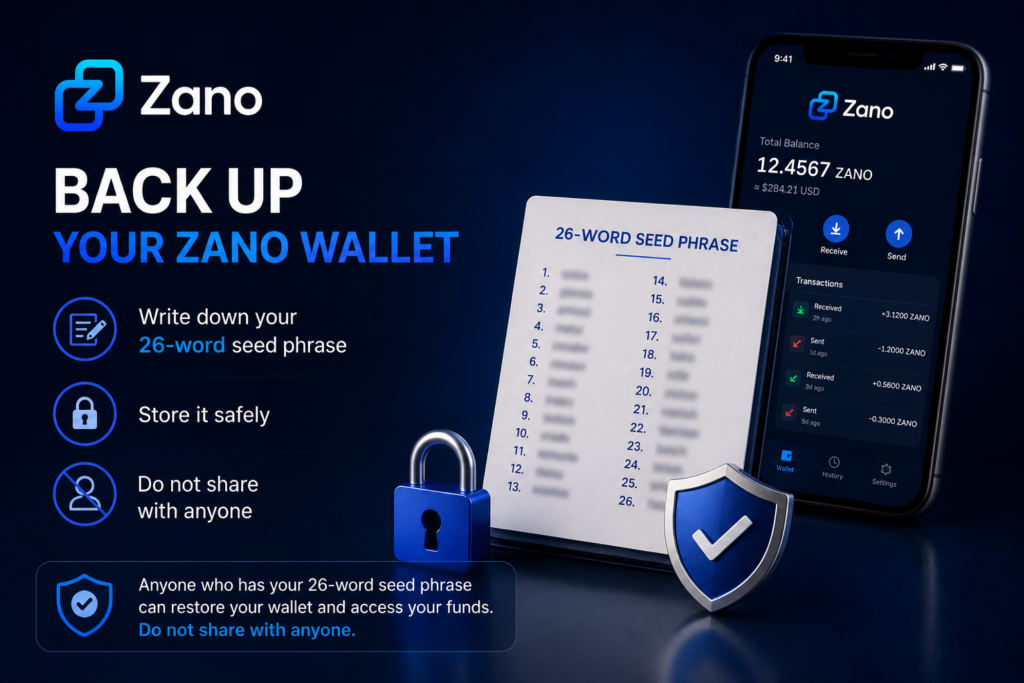
  • Your 26-word seed phrase – This is the most important part of your backup because it allows you to recover your wallet if your phone or computer is lost, damaged, or replaced.
  • Your wallet file – This is a copy of your wallet that can be useful if you want to use the same wallet on another device. It should be stored securely alongside your 26-word seed phrase.

Both should be stored securely and never shared with anyone.

4. How to Back Up Your Zano Wallet

Follow these simple steps:

  1. Create your wallet using the official Zano Wallet.
  2. Write down your 26-word seed phrase exactly as shown.
  3. Store the seed phrase in a safe place where only you can access it.
  4. Keep a copy of your wallet file in a secure location if you plan to use another device in the future.
  5. Make sure your wallet is protected with a strong password.

If you haven’t created a wallet yet, read our guide:

πŸ‘‰ How to Create Your First Zano Wallet

5. Where Should You Store Your Backup?

Once you’ve backed up your wallet, it’s important to store it somewhere safe.

Here are some best practices:

  • Store your 26-word seed phrase in a secure place that only you can access.
  • Keep a copy of your wallet file in a safe location if you choose to back it up.
  • If possible, keep a second backup in another secure location.
  • Make sure your backup is protected from theft, loss, or accidental damage.

Avoid storing sensitive wallet information where other people can easily access it.

Remember:

Anyone who has access to your 26-word seed phrase can restore your wallet and access your funds. Always keep it private.

6. What to Avoid

To help keep your wallet safe, avoid these common mistakes:

  • Never share your 26-word seed phrase with anyone.
  • Never send your 26-word seed phrase to someone claiming to be “customer support.”
  • Don’t store your 26-word seed phrase where other people can easily find it.
  • Don’t lose or forget your wallet password.
  • Don’t rely on memory alone to remember your recovery information.

Remember:

Anyone who has your 26-word seed phrase can restore your wallet and access your funds. Keep it private at all times. If someone gains access to your wallet backup, they may also be able to access your funds.

7. How to Test Your Backup

Before you store your backup away, take a moment to make sure everything is correct.

Check that:

  1. Your 26-word seed phrase has been written down correctly.
  2. All 26 words are complete, easy to read, and in the correct order.
  3. Your wallet file has been safely copied, if you chose to back it up.
  4. Your wallet password has been stored securely, if needed.

Taking a few extra minutes to check your backup now can save you a lot of trouble in the future.

8. Common Questions

What is the most important thing to back up?

Your 26-word seed phrase is the most important part of your backup. It allows you to recover your wallet if your phone or computer is lost, damaged, or replaced.

Can I create another backup later?

Yes. You can create another backup whenever you want. It’s a good idea to make a new backup if you create a new wallet or make important changes to your wallet.

Can someone access my wallet if they have my 26-word seed phrase?

Yes. Anyone who has your 26-word seed phrase can restore your wallet and access your funds. Never share it with anyone.

9. Key Takeaways

  • Always back up your 26-word seed phrase.
  • Keep your wallet file in a secure location if you choose to back it up.
  • Never share your 26-word seed phrase with anyone.
  • Store your backups somewhere safe and private.
  • Checking your backup now can help protect your ZANO in the future.

10. Sources

Disclaimer:Β ZanoNews.comΒ is an independent news and information website. This article is for informational purposes only and should not be considered financial, investment, or legal advice.

How to Send ZANO

If you’ve already created your wallet and received your first ZANO, you’re ready to make your first transaction.

Sending ZANO is simple and usually takes just a few moments. This guide explains every step in plain language so that anyoneβ€”even if you’re completely new to cryptocurrencyβ€”can follow along with confidence.

Before continuing, make sure your wallet contains some ZANO.

πŸ‘‰ If you haven’t received any ZANO yet, read our guide: How to Receive ZANO

Table of Contents

  1. Before You Send ZANO
  2. Open Your Wallet
  3. Enter the Recipient’s Address
  4. Choose the Amount to Send
  5. Review the Transaction
  6. Confirm and Send
  7. Check Your Transaction
  8. Common Mistakes to Avoid
  9. Frequently Asked Questions
  10. Summary
  11. Sources

1. Before You Send ZANO

Before sending ZANO, make sure you have:

  • A Zano Wallet with some ZANO available.
  • The correct wallet address of the person you’re sending funds to.
  • An internet connection.

Always double-check the wallet address before sending. Cryptocurrency transactions cannot usually be reversed.

2. Open Your Wallet

Open your Zano Wallet on your mobile phone or desktop computer.

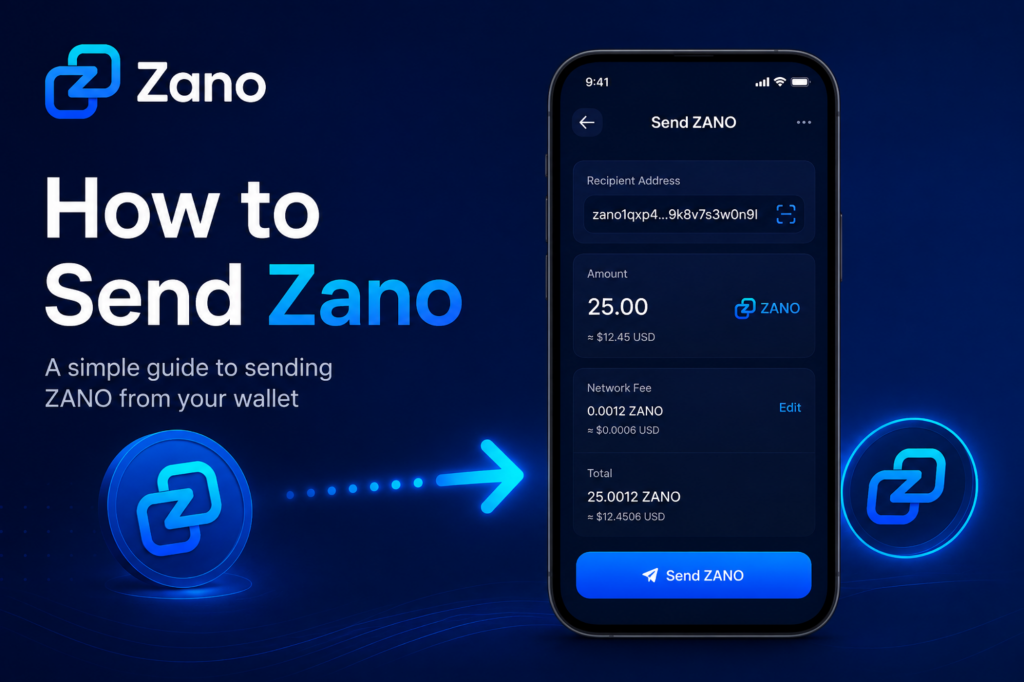
From the main wallet screen, select the Send option.

You’ll be asked to enter:

  • The recipient’s wallet address
  • The amount of ZANO to send

3. Enter the Recipient’s Address

Ask the recipient to provide their Zano wallet address.

You can:

  • Copy and paste the address.
  • Scan a QR code if you’re using the mobile wallet.

Always check that the first and last few characters match the address you were given before sending.

4. Choose the Amount to Send

Enter the amount of ZANO you’d like to send.

For example:

  • 1 ZANO
  • 10 ZANO
  • 25.5 ZANO

Your wallet will also show the network fee before you confirm the transaction.

5. Review the Transaction

Before sending, carefully review:

  • Recipient’s wallet address
  • Amount you’re sending
  • Network fee

Taking a few extra seconds here can help prevent mistakes.

6. Confirm and Send

If everything looks correct:

  1. Tap or click Send.
  2. Confirm the transaction if prompted.
  3. Wait a few moments while the transaction is processed.

Once confirmed, your wallet will show that the transaction has been sent.

7. Check Your Transaction

After sending, you can view the transaction in your wallet’s transaction history.

You should see:

  • Amount sent
  • Recipient address
  • Date and time
  • Confirmation status
  • Transaction ID (Hash)

The recipient will normally receive the funds once the transaction has been confirmed by the network.

8. Common Mistakes to Avoid

Here are a few simple tips:

  • Double-check the wallet address before sending.
  • Never send more than you intended.
  • Make sure you have enough ZANO to cover the network fee.
  • Never share your wallet’s recovery seed or private keys.

9. Frequently Asked Questions

Can I cancel a transaction after sending?

No. Once a transaction has been confirmed on the blockchain, it cannot normally be reversed.

What if I send ZANO to the wrong address?

Unfortunately, cryptocurrency transactions are generally irreversible. Always verify the address before confirming.

Is there a fee for sending ZANO?

Yes. Like most blockchains, Zano charges a small network fee to process transactions.

10. Summary

Sending ZANO is straightforward once you’ve used your wallet a few times.

Remember these simple steps:

  1. Open your wallet.
  2. Enter the recipient’s address.
  3. Choose the amount.
  4. Review the details.
  5. Confirm the transaction.

Taking a few extra moments to check the address and amount can help ensure your transaction is completed safely.

11. Sources

Disclaimer: ZanoNews.com is an independent news and information website. This article is for informational purposes only and should not be considered financial, investment, or legal advice.

What Is Zano? A Beginner’s Guide

If you’re new to cryptocurrency, you’ve probably heard about Bitcoin and Ethereum. But what is Zano, and why are more people paying attention to it?

Zano is a privacy-focused blockchain designed to make digital payments secure, confidential, and easy to use. It combines modern privacy technology with features for businesses, developers, and everyday users.

Whether you’re completely new to crypto or simply curious about Zano, this guide explains everything in simple language.

Table of Contents

  1. What Is Zano?
  2. Why Was Zano Created?
  3. Key Features of Zano
  4. What Can You Do With Zano?
  5. Is Zano Good for Beginners?
  6. Where Should You Start?
  7. Frequently Asked Questions
  8. Final Thoughts

1. What Is Zano?

Zano is a Layer 1 blockchain launched in 2019 that focuses on privacy, security, and usability.

Unlike many cryptocurrencies where transactions can be viewed publicly, Zano keeps transaction details private by default. This means the sender, receiver, and transaction amount remain confidential while still being securely verified on the blockchain.

Its goal is to provide digital money that protects financial privacy without sacrificing security.

2. Why Was Zano Created?

Many blockchains allow anyone to view wallet balances and transaction history.

While transparency has advantages, it also means anyone can potentially track your financial activity.

Zano was built to give users greater financial privacy while remaining decentralized and secure.

3. Key Features of Zano

3.1 Privacy by Default

Every Zano transaction is private, helping protect your financial information from public view.

3.2 Low Transaction Fees

Sending Zano costs only a small network fee, making it suitable for everyday payments.

3.3 Fast Transactions

Transactions are confirmed quickly, allowing users to send and receive funds without long waiting times.

3.4 Hybrid Consensus

Zano uses a hybrid Proof-of-Work and Proof-of-Stake (PoW + PoS) consensus model to help secure the network while allowing eligible holders to earn staking rewards.

3.5 Confidential Assets

One of Zano’s standout features is Confidential Assets, which allow developers and businesses to create private digital assets while keeping transaction information confidential.

3.6 Cross-Chain Transfers

Recent network upgrades allow native ZANO to move between supported blockchain ecosystems while maintaining Zano’s privacy-focused infrastructure.

4. What Can You Do With Zano?

Zano can be used in many different ways:

  • Send private payments
  • Receive payments securely
  • Stake ZANO to earn rewards
  • Create Confidential Assets
  • Buy and sell on ZanoBay
  • Explore decentralized applications built on Zano

5. Is Zano Good for Beginners?

Yes.

Zano is designed to be beginner-friendly while offering advanced privacy features for experienced users.

If you’re just starting, learning how to install the wallet and securely back up your recovery seed is the best place to begin.

6. Where Should You Start?

If you’re new to Zano, these guides are recommended:

  1. Install the Zano Wallet
  2. Create Your First Wallet
  3. Back Up Your Recovery Seed
  4. Learn How Staking Works
  5. Understand Zano Privacy
  6. Explore Confidential Assets

7. Frequently Asked Questions

7.1 Is Zano anonymous?

Zano is privacy-focused, meaning transaction details are confidential by default while the blockchain remains secure and verifiable.

7.2 Can I stake Zano?

Yes. Eligible holders can stake ZANO to help secure the network and earn rewards.

7.3 Is Zano open source?

Yes. Zano is an open-source blockchain project, allowing anyone to inspect the code and contribute to development.

8. Final Thoughts

Zano is more than just another cryptocurrency. It is a privacy-first blockchain designed for secure payments, confidential digital assets, and long-term usability.

Whether you’re looking to make private transactions, earn staking rewards, or simply learn about privacy-focused blockchain technology, Zano provides a solid starting point.

If you’re completely new to Zano, continue with the Getting Started guides below to learn how to install your wallet, create your first address, and begin exploring the ecosystem.

Learn more:

Disclaimer: ZanoNews.com is an independent news and information website. This article is for informational purposes only and should not be considered financial, investment, or legal advice.

Hard Fork 6 to Enable Cross-Chain Transfers for Native ZANO and Confidential Assets

New to cross-chain transfers? This 1 minute 34 second video from the Zano team explains how it works.

Table of Contents

  1. What Is Changing?
  2. How It Works Today
  3. What Changes After Hard Fork 6
  4. Why This Matters
  5. What Is Hard Fork 6?
  6. Sources

1. What Is Changing?

The Zano team has shared another preview of what users can expect after Hard Fork 6 (HF6).

Today, users can bridge cryptocurrencies such as Bitcoin (BTC), Ethereum (ETH), and Solana (SOL) into the Zano ecosystem, where they inherit Zano’s built-in privacy features.

After Hard Fork 6, the process will work in both directions. Native ZANO and supported Confidential Assets will also be able to move out of the Zano network through the bridge, making cross-chain transfers more flexible.

2. How It Works Today

Currently, supported cryptocurrencies can be bridged from public blockchains into the Zano network.

Once they arrive on Zano, these assets inherit the network’s privacy features, allowing users to benefit from confidential transactions while continuing to use familiar cryptocurrencies such as BTC, ETH, and SOL.

3. What Changes After Hard Fork 6

After Hard Fork 6 activates, Zano will support two-way cross-chain transfers.

This means:

  • BTC, ETH, and SOL can continue to be bridged into Zano and inherit its privacy features.
  • Native ZANO will be able to move from Zano to supported external blockchains.
  • Supported Confidential Assets will also be able to move to supported external networks.

This functionality is made possible by the new Gateway Addresses infrastructure introduced with Hard Fork 6. It is designed to simplify integrations for wallets, exchanges, payment providers, decentralized applications (dApps), and other blockchain services.

4. Why This Matters

Cross-chain transfers give users and developers more flexibility when moving assets between Zano and other blockchain ecosystems.

It could make it easier to:

  • Move assets between Zano and supported blockchains.
  • Improve interoperability across different blockchain networks.
  • Expand opportunities for wallets, exchanges, payment providers, and cross-chain services.
  • Bring Zano’s privacy technology to a wider range of blockchain users.

For people new to Zano, the concept is simple: assets can enter Zano to inherit its privacy features, and after Hard Fork 6, native ZANO and supported Confidential Assets can also move back to supported blockchains when needed.

5. What Is Hard Fork 6?

If you’d like to learn more about Hard Fork 6, visit our guide, where we explain the upgrade, Gateway Addresses, and how it could make Zano easier to integrate with wallets, exchanges, payment providers, and decentralized applications (dApps).

Article πŸ‘‰: What Is Hard Fork 6?

6. Sources

Disclaimer: ZanoNews.com is an independent news and information website. This article is for informational purposes only and should not be considered financial, investment, or legal advice.

How to Spend ZANO with AEON Pay πŸ’³

One of the biggest challenges in cryptocurrency has always been finding practical ways to use digital assets for everyday purchases. While many cryptocurrencies can be bought, sold, and traded, spending them at real merchants has often been difficult.

On July 16, 2026, Zano and AEON hosted a live Fireside Chat to discuss how users can spend $ZANO and $fUSD privately through AEON Pay. The session featured Mike, VP of Research & Partnerships at AEON, Ronne van Rijn, Managing Partnerships at Zano, and Idris Mustapha, Zano African Ambassador. Together, they shared how AEON Pay is helping bring privacy-focused cryptocurrency payments into everyday life.

Although the live event has already taken place, the discussion remains relevant because it demonstrates how blockchain technology is evolving beyond investing and becoming a practical payment solution.

Table of Contents

  1. What Is AEON Pay?
  2. How to Spend ZANO with AEON Pay
  3. Real-World Experience
  4. Why This Partnership Matters
  5. Privacy Comes First
  6. Looking Ahead
  7. Frequently Asked Questions (FAQ)
  8. Why It Matters Today

1. What Is AEON Pay?

AEON Pay is a cryptocurrency payment platform that allows users to pay participating merchants using supported digital assets.

Its goal is to make cryptocurrency simple and practical for everyday use by offering:

  • Fast and convenient payments
  • Support for privacy-focused cryptocurrencies
  • Real-world merchant payments
  • A simple way to spend crypto instead of only holding it

As more businesses begin accepting digital assets, payment platforms like AEON Pay help connect blockchain technology with everyday shopping.

2. How to Spend ZANO with AEON Pay

AEON Pay currently supports payments using:

This gives Zano users another practical way to use their digital assets beyond buying, selling, or staking.

Instead of leaving coins in a wallet, users can spend $ZANO and $fUSD at supported merchants while benefiting from Zano’s privacy-focused blockchain.

3. Real-World Experience

One of the highlights of the Fireside Chat was hearing from a user in Nigeria who shared their day-to-day experience using AEON Pay.

Rather than focusing on future possibilities, the discussion highlighted how privacy-focused cryptocurrency is already being used for everyday purchases.

Real-world examples like this show that crypto adoption is moving beyond speculation and becoming more practical for ordinary users.

4. Why This Partnership Matters

Many blockchain projects talk about real-world adoption, but successful adoption depends on practical payment solutions.

The collaboration between Zano and AEON Pay offers several benefits:

  • More real-world utility for ZANO
  • Private and secure payments
  • Greater value for cryptocurrency holders
  • Easier spending at participating merchants
  • Increased adoption of privacy-focused blockchain technology

As more payment providers support digital assets, partnerships like this help make cryptocurrency more useful in everyday life.

5. Privacy Comes First

Privacy remains one of the main reasons many people choose cryptocurrencies like Zano.

Traditional payment systems often collect and store personal financial information whenever a payment is made. Zano was designed to provide confidential transactions while maintaining speed, security, and ease of use.

The integration with AEON Pay shows that users don’t have to choose between privacy and convenienceβ€”they can enjoy both.

6. Looking Ahead

The Fireside Chat highlighted how cryptocurrency is steadily moving beyond trading and investing.

As payment platforms continue expanding their merchant networks and supporting more digital assets, services like AEON Pay could play an important role in bringing cryptocurrency into everyday commerce.

For the Zano ecosystem, this partnership represents another step toward broader adoption and greater real-world utility.

7. Frequently Asked Questions (FAQ)

1. What is AEON Pay?

AEON Pay is a cryptocurrency payment platform that allows users to spend supported digital assets at participating merchants.

2. Can I spend ZANO with AEON Pay?

Yes. AEON Pay supports $ZANO, allowing users to make payments at participating merchants where the service is available.

3. What is fUSD?

$fUSD is a stable digital asset within the Zano ecosystem that can also be used through AEON Pay.

4. Why is the July 16, 2026 Fireside Chat still relevant?

The event showcased how Zano and AEON Pay are making private cryptocurrency payments more practical. Although the live discussion has ended, the partnership continues to demonstrate how blockchain can be used for everyday spending.

5. Why is this partnership important for Zano?

The collaboration expands the real-world utility of ZANO by giving users more opportunities to spend their cryptocurrency while maintaining the privacy and security that Zano is known for.

8. Why It Matters Today

Although the Fireside Chat took place on July 16, 2026, its message continues to matter today.

The collaboration between $ZANO, AEON Pay, and $fUSD shows that privacy-focused cryptocurrency is becoming more than just an investmentβ€”it is becoming a practical way to pay for everyday goods and services.

As cryptocurrency adoption continues to grow, partnerships like this help strengthen the Zano ecosystem and demonstrate how private, secure, and easy-to-use digital payments can become part of everyday life.

To learn more, visit:

Disclaimer: ZanoNews.com is an independent news and information website. This article is for informational purposes only and should not be considered financial, investment, or legal advice.

How to Send Zano Transactions Through Tor Using a SOCKS5 Proxy

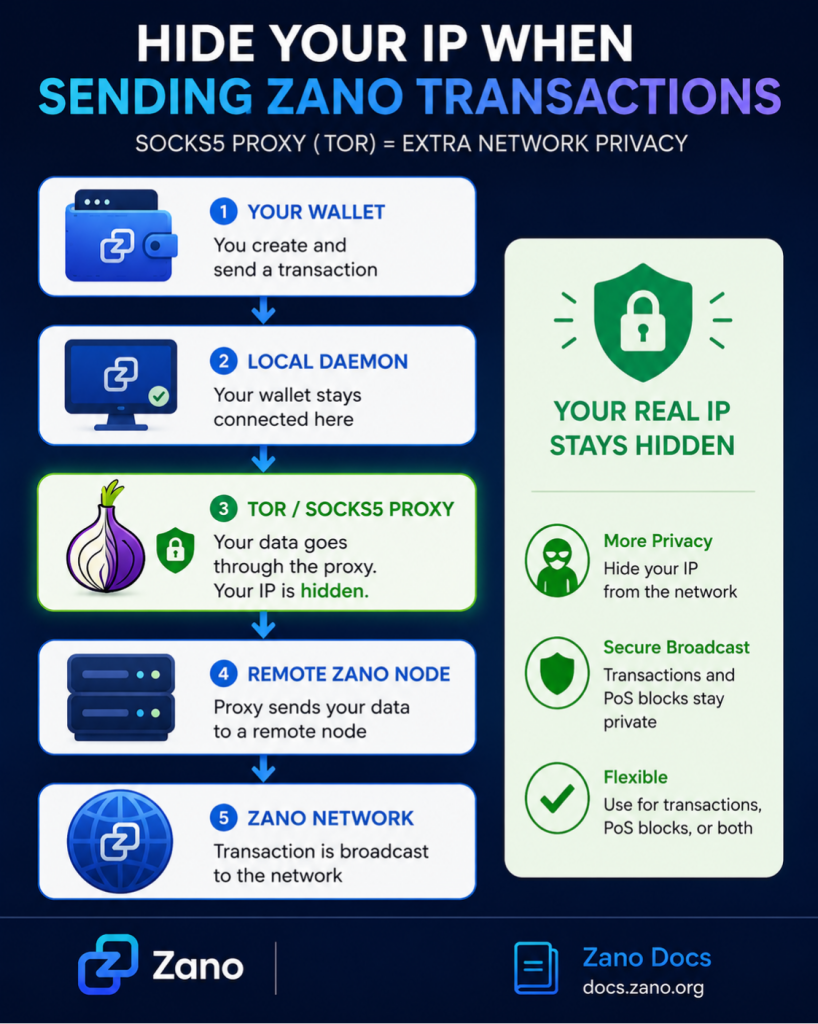
Privacy has always been one of Zano’s core features, and the project continues to add new ways for users to protect their online activity. A recent update introduces SOCKS5 proxy relay, allowing Zano wallets to send transactions and Proof-of-Stake (PoS) block submissions through a proxy such as Tor.

This feature helps hide your public IP address from the node that broadcasts your transaction, adding another layer of network privacy while keeping the wallet’s normal operation unchanged.

Here’s a simple overview of how it works and why it matters.

Table of Contents

  1. What Is a SOCKS5 Proxy?
  2. Why Use a SOCKS5 Proxy?
  3. How Does It Work?
  4. What Do You Need?
  5. Relay Options
  6. Example Configurations
  7. Why This Feature Matters
  8. Sources

1. What Is a SOCKS5 Proxy?

A SOCKS5 proxy is a server that sits between your wallet and the Zano network.

Instead of your wallet sending data directly to the network, it first sends it to the proxy. The proxy then forwards the data to a remote Zano node.

As a result, the network sees the proxy’s IP address instead of your own.

One of the most commonly used SOCKS5 proxies is Tor, which is designed to improve online privacy and anonymity.

2. Why Use a SOCKS5 Proxy?

Normally, when you broadcast a cryptocurrency transaction, the receiving node can see the IP address it came from.

Using a SOCKS5 proxy helps protect your privacy by:

  • Hiding your public IP address
  • Reducing network-level tracking
  • Making it more difficult to connect blockchain activity to your internet connection
  • Allowing both transactions and staking activity to be relayed privately

Your wallet will still synchronize with your local Zano daemon exactly as before. Only transaction broadcasts and PoS block submissions are sent through the proxy.

3. How Does It Work?

The process is simple:

  1. Your wallet connects to your local Zano daemon.
  2. When you send a transaction or submit a PoS block, the wallet sends it to a SOCKS5 proxy.
  3. The proxy forwards the data to a remote Zano node.
  4. The Zano network receives the broadcast while your real IP address remains hidden.

This allows users to improve network privacy without changing how the wallet normally syncs with the blockchain.

4. What Do You Need?

Before using the feature, you’ll need:

  • A running SOCKS5 proxy, such as Tor
  • A local Zano daemon
  • A remote Zano node to relay your transactions

For most users, the recommended setup is:

  • Tor Browser, which exposes a SOCKS5 proxy while it’s running.
  • node.zano.org, Zano’s public relay node.

5. Relay Options

Zano allows users to decide exactly what they want to send through the proxy.

You can choose to relay:

  • Transactions only
  • Proof-of-Stake (PoS) blocks only
  • Both transactions and PoS blocks

You can also use different proxy settings for transactions and staking, giving advanced users additional flexibility.

6. Example Configurations

The official Zano documentation includes several setup examples, including:

  • Relaying transactions through Tor using HTTPS
  • Relaying transactions through Tor using HTTP
  • Routing both transactions and PoS block submissions through Tor
  • Configuring SOCKS5 relay for the Zano testnet

The documentation also provides the command-line options needed to specify your SOCKS5 proxy and remote relay node, making it easy for users to configure the feature.

7. Why This Feature Matters

Privacy isn’t only about keeping wallet balances and transaction details confidential. Network privacy is just as important because every transaction broadcast leaves behind metadata, including the IP address of the broadcasting node.

With SOCKS5 proxy relay support, Zano users can reduce the exposure of this information by routing broadcasts through Tor or another compatible proxy. This creates another layer of privacy that complements Zano’s confidential transactions and other privacy-focused technologies.

As privacy concerns continue to grow across the cryptocurrency industry, features like SOCKS5 proxy relay give users greater control over how they interact with the blockchain.

8. Source

  1. Zano β€” Original X Post
  2. Zano Docs – Sending Transactions and PoS Blocks Through a SOCKS5 Proxy
  3. Zano Official Website

Disclaimer: ZanoNews.com is an independent news and information website. This article is for informational purposes only and does not constitute financial or investment advice.
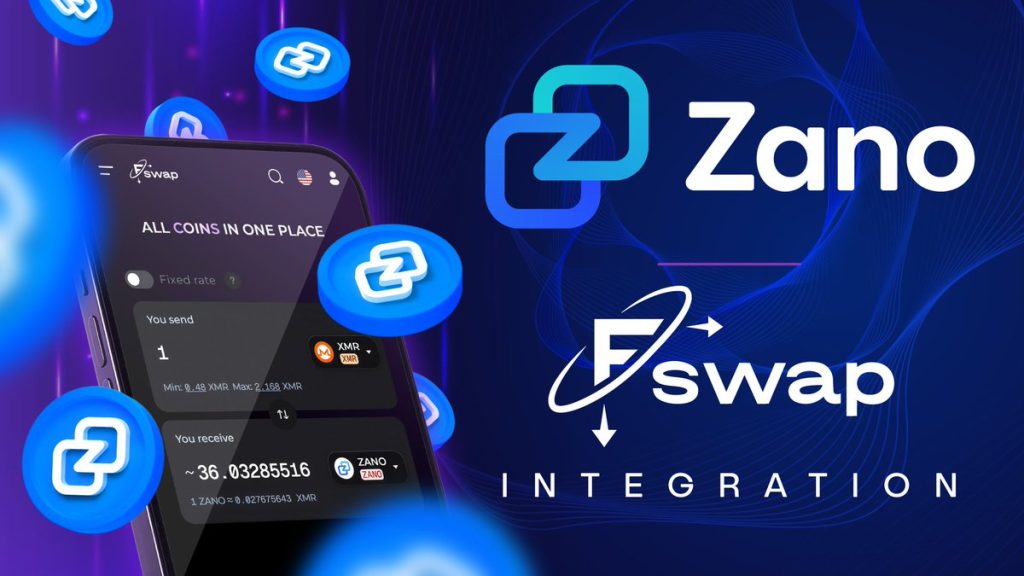
How to Swap ZANO on Fswap.io Without Registration

Zano users now have another fast and convenient way to acquire and swap $ZANO.

The Zano team has announced an integration with Fswap.io, a fully automated cryptocurrency exchange platform that allows users to swap digital assets without creating an account or completing a registration process.

According to Fswap, the platform supports more than 4,000 cryptocurrencies and offers swap times starting from as little as two minutes, providing users with a simple way to access Zano while maintaining privacy and convenience.

The integration expands the number of options available to users looking to buy, sell, or exchange ZANO, further improving accessibility across the wider cryptocurrency ecosystem.

Key Highlights

  • πŸ”„ $ZANO is now available on Fswap.io
  • ⚑ Fast swaps starting from approximately 2 minutes
  • πŸ”’ No registration required
  • 🌐 Support for 4,000+ cryptocurrencies
  • πŸš€ Another easy way for users to access the Zano ecosystem

As the Zano ecosystem continues to grow, additional exchange and swap integrations help improve liquidity, accessibility, and user choice for both new and existing community members.

Sources: