Zano Ionic Swaps: Private Crypto Trading 🔄

Most people trade crypto through centralized exchanges. You deposit your coins, make a trade, and the exchange takes care of the rest.

But there is another way.

Zano lets users trade directly with each other without giving their coins to a centralized exchange.

This is possible through Ionic Swaps, a built-in feature of the Zano blockchain.

In simple terms, Ionic Swaps allow two people to exchange crypto assets directly, while keeping control of their funds and protecting their transaction privacy.
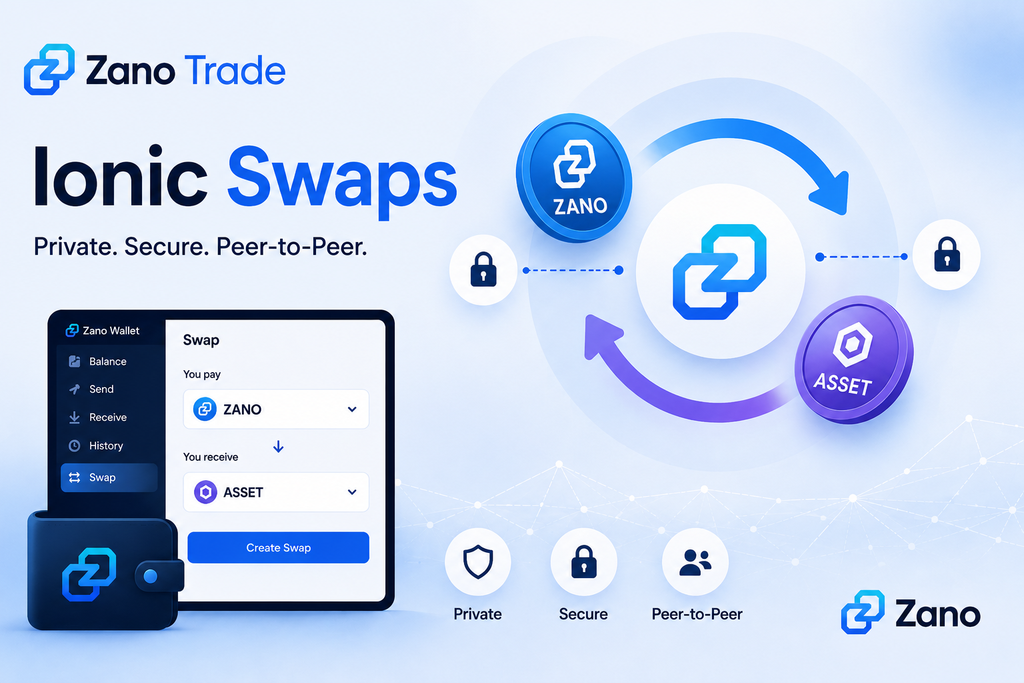
Table of Contents

  1. What Are Zano Ionic Swaps?
  2. What Do You Need to Trade?
  3. How Do Ionic Swaps Work?
  4. What Is Zano Trade?
  5. Do You Have to Give Up Your Coins?
  6. How Does Zano Protect Your Privacy?
  7. What Can You Trade?
  8. Ionic Swaps vs Traditional Crypto Exchanges
  9. Why Are Ionic Swaps Important?
  10. Why This Matters

1. What Are Zano Ionic Swaps?

Ionic Swaps are a way to trade crypto directly with another person on the Zano blockchain.

Imagine you have ZANO and want another asset.

Instead of sending your ZANO to an exchange, you can create a trade offer saying:

“I will give you this amount of ZANO in exchange for this amount of another asset.”

Another user can accept your offer.

The Zano blockchain then handles the swap.

The important part is that you keep control of your funds throughout the process.

There is no need for a centralized exchange to hold your coins.

2. What Do You Need to Trade?

To use Ionic Swaps, you need a Zano wallet with the asset you want to trade.

Your wallet is where you keep control of your funds and where you can create or accept an Ionic Swap. The official Ionic Swaps guide also includes screenshots showing the different steps, so readers can follow along visually.

In simple terms, if you want to create a swap:

  1. Open your Zano wallet and select the Swap tab.
  2. Choose the asset you want to sell and the asset you want to receive.
  3. Enter the amount and the wallet address or alias of the person you want to trade with.
  4. Set an expiration time for the swap.
  5. Create the proposal and share the generated swap code with the other trader.

If you receive a swap proposal, you can open the Swap tab in your wallet, select Confirm Swap, enter the proposal code, check the trade details and accept the proposal. The swap is then submitted to the Zano blockchain.

For users who want an easier way to find trades, Zano Trade provides a platform where you can browse available offers, while the actual exchange is handled through Ionic Swaps on the Zano blockchain.

3. How Do Ionic Swaps Work?

The process is easier than it might sound.

Step 1: Create a trade offer

You choose:

  • What you want to sell
  • What you want to receive
  • How much you want to trade
  • The price or exchange rate

Step 2: Someone accepts your offer

Another user finds your offer and decides they want to make the trade.

Step 3: The swap is created

Both sides agree to the transaction and sign it from their own wallets.

Step 4: The blockchain completes the trade

The transaction is processed on the Zano network.

The basic idea is:

Both sides get what they agreed to, or the trade does not happen.

This means users don’t have to simply trust the other person to send their side of the deal.

4. What Is Zano Trade?

Zano Trade makes Ionic Swaps easier to use.

Instead of finding someone yourself and arranging a trade manually, Zano Trade lets you browse available offers from other users.

You can look at the available trades, choose one you are interested in and accept it.

Behind the scenes, the actual exchange is handled by Ionic Swaps on the Zano blockchain.

So you can think of it this way:

Zano Trade = where you find the trade

Ionic Swap = how the trade is completed

Zano Trade is also non-custodial, meaning it does not take control of your crypto.

5. Do You Have to Give Up Your Coins?

No.

This is one of the main differences between Ionic Swaps and traditional centralized exchanges.

With a centralized exchange, you normally deposit your crypto into a wallet controlled by the exchange before trading.

With Ionic Swaps, your assets remain under your control until the swap is completed.

You don’t need to send your coins to a company and wait for the company to process your trade.

Instead, the trade happens directly between the participants through the Zano blockchain.

6. How Does Zano Protect Your Privacy?

Privacy is a major part of Zano.

On many public blockchains, people can look at transactions and see information such as wallet addresses and transaction amounts.

Zano takes a different approach.

Its privacy technology is designed to hide important transaction information, including:

  • Wallet addresses
  • Transaction amounts
  • Asset information
  • Transaction history

This also applies when using Zano Trade.

For someone looking at the public blockchain, the details of a completed trade are not simply displayed for everyone to see.

That can be important for people who don’t want their financial activity publicly exposed.

7. What Can You Trade?

Ionic Swaps are not only for trading ZANO.

They can also be used with Confidential Assets created on the Zano blockchain.

For example, users can potentially trade:

ZANO ↔ Confidential Asset

or

Confidential Asset ↔ Confidential Asset

depending on the available trading pairs.

Confidential Assets are tokens that use Zano’s privacy technology.

This gives projects the ability to create their own assets while benefiting from the privacy features built into the Zano network.

8. Ionic Swaps vs Traditional Crypto Exchanges

So how is this different from using a normal crypto exchange?

Traditional ExchangeZano Ionic Swaps
Exchange holds your fundsYou keep control of your funds
Centralized platformPeer-to-peer
Trading happens through the exchangeTrading happens on the Zano blockchain
Transaction information may be publicly visible depending on the platformZano provides privacy by design
Requires trusting the exchangeUses blockchain-based settlement

This doesn’t necessarily mean centralized exchanges are bad.

They can be convenient and offer many trading features.

But Ionic Swaps provide another option for people who value privacy, self-custody and peer-to-peer trading.

9. Why Are Ionic Swaps Important?

Ionic Swaps bring several useful features together.

🔐 Privacy

Your trading activity benefits from Zano’s privacy-focused blockchain.

👛 Self-custody

You keep control of your crypto instead of depositing it with a centralized exchange.

🤝 Peer-to-peer trading

You can trade directly with another user.

⛓️ On-chain trading

The blockchain handles the transaction rather than a centralized company.

🚫 No traditional middleman

Zano Trade helps users find trading offers, while the actual swap is handled on-chain.

⚡ Fast settlement

Zano’s documentation says Ionic Swaps require one confirmation and typically complete in around one minute.

Together, these features create a different way to think about crypto trading.

10. Why This Matters

Crypto trading doesn’t always have to mean sending your coins to a centralized exchange.

Zano Ionic Swaps provide another option.

You can trade directly with another person, keep control of your funds and benefit from Zano’s privacy technology.

And with Zano Trade, finding and accepting these trades becomes easier for everyday users.

You don’t need to understand all the technical details behind Ionic Swaps to understand the main idea:

Trade directly. Keep control. Keep your transactions private.

That’s what makes Ionic Swaps an interesting part of the Zano ecosystem.

Learn More

Disclaimer: ZanoNews.com is an independent news and information website. This article is for informational purposes only and does not constitute financial or investment advice.
How to Back Up Your Zano Wallet

If you’re using a self-custody wallet, you are responsible for keeping your wallet safe.

Backing up your wallet means you’ll still be able to access your ZANO if your phone or computer is lost, stolen, damaged, or replaced.

The good news is that creating a backup only takes a few minutes and can save you from permanently losing your funds.

Table of Contents

  1. What Is a Wallet Backup?
  2. Why Is Backing Up Your Wallet Important?
  3. What Should You Back Up
  4. How to Back Up Your Zano Wallet
  5. Where Should You Store Your Backup?
  6. What to Avoid
  7. How to Test Your Backup
  8. Common Questions
  9. Key Takeaways
  10. Sources

1. What Is a Wallet Backup?

A wallet backup is a copy of the important information needed to restore access to your wallet.

If something happens to your device, you can use your backup to recover your wallet on another device.

Without a backup, your ZANO may be impossible to recover.

2. Why Is Backing Up Your Wallet Important?

Many people assume their wallet is automatically backed up like photos or contacts on a phone.

That is usually not the case with self-custody wallets.

Creating a backup helps protect you if:

  • Your phone is lost or stolen.
  • Your computer stops working.
  • You accidentally delete your wallet.
  • You buy a new phone or computer.

A backup gives you peace of mind because you know you can restore your wallet if needed.

3. What Should You Back Up?

According to the official Zano documentation, there are two important things According to the official Zano documentation, there are two important things you should protect:

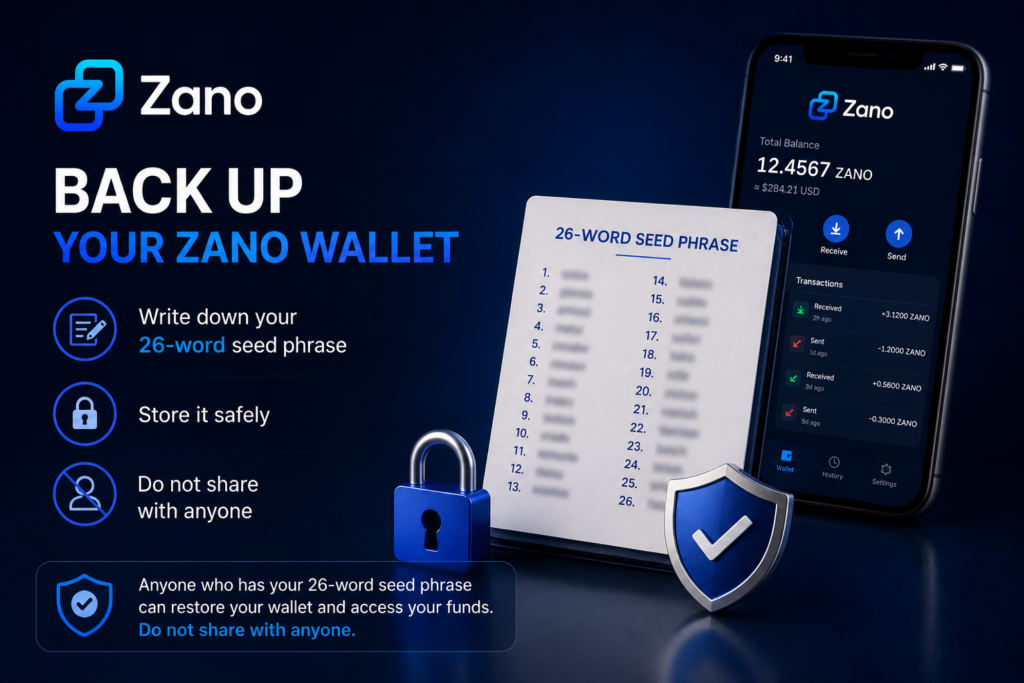
  • Your 26-word seed phrase – This is the most important part of your backup because it allows you to recover your wallet if your phone or computer is lost, damaged, or replaced.
  • Your wallet file – This is a copy of your wallet that can be useful if you want to use the same wallet on another device. It should be stored securely alongside your 26-word seed phrase.

Both should be stored securely and never shared with anyone.

4. How to Back Up Your Zano Wallet

Follow these simple steps:

  1. Create your wallet using the official Zano Wallet.
  2. Write down your 26-word seed phrase exactly as shown.
  3. Store the seed phrase in a safe place where only you can access it.
  4. Keep a copy of your wallet file in a secure location if you plan to use another device in the future.
  5. Make sure your wallet is protected with a strong password.

If you haven’t created a wallet yet, read our guide:

👉 How to Create Your First Zano Wallet

5. Where Should You Store Your Backup?

Once you’ve backed up your wallet, it’s important to store it somewhere safe.

Here are some best practices:

  • Store your 26-word seed phrase in a secure place that only you can access.
  • Keep a copy of your wallet file in a safe location if you choose to back it up.
  • If possible, keep a second backup in another secure location.
  • Make sure your backup is protected from theft, loss, or accidental damage.

Avoid storing sensitive wallet information where other people can easily access it.

Remember:

Anyone who has access to your 26-word seed phrase can restore your wallet and access your funds. Always keep it private.

6. What to Avoid

To help keep your wallet safe, avoid these common mistakes:

  • Never share your 26-word seed phrase with anyone.
  • Never send your 26-word seed phrase to someone claiming to be “customer support.”
  • Don’t store your 26-word seed phrase where other people can easily find it.
  • Don’t lose or forget your wallet password.
  • Don’t rely on memory alone to remember your recovery information.

Remember:

Anyone who has your 26-word seed phrase can restore your wallet and access your funds. Keep it private at all times. If someone gains access to your wallet backup, they may also be able to access your funds.

7. How to Test Your Backup

Before you store your backup away, take a moment to make sure everything is correct.

Check that:

  1. Your 26-word seed phrase has been written down correctly.
  2. All 26 words are complete, easy to read, and in the correct order.
  3. Your wallet file has been safely copied, if you chose to back it up.
  4. Your wallet password has been stored securely, if needed.

Taking a few extra minutes to check your backup now can save you a lot of trouble in the future.

8. Common Questions

What is the most important thing to back up?

Your 26-word seed phrase is the most important part of your backup. It allows you to recover your wallet if your phone or computer is lost, damaged, or replaced.

Can I create another backup later?

Yes. You can create another backup whenever you want. It’s a good idea to make a new backup if you create a new wallet or make important changes to your wallet.

Can someone access my wallet if they have my 26-word seed phrase?

Yes. Anyone who has your 26-word seed phrase can restore your wallet and access your funds. Never share it with anyone.

9. Key Takeaways

  • Always back up your 26-word seed phrase.
  • Keep your wallet file in a secure location if you choose to back it up.
  • Never share your 26-word seed phrase with anyone.
  • Store your backups somewhere safe and private.
  • Checking your backup now can help protect your ZANO in the future.

10. Sources

Disclaimer: ZanoNews.com is an independent news and information website. This article is for informational purposes only and should not be considered financial, investment, or legal advice.

How to Send ZANO

If you’ve already created your wallet and received your first ZANO, you’re ready to make your first transaction.

Sending ZANO is simple and usually takes just a few moments. This guide explains every step in plain language so that anyone—even if you’re completely new to cryptocurrency—can follow along with confidence.

Before continuing, make sure your wallet contains some ZANO.

👉 If you haven’t received any ZANO yet, read our guide: How to Receive ZANO

Table of Contents

  1. Before You Send ZANO
  2. Open Your Wallet
  3. Enter the Recipient’s Address
  4. Choose the Amount to Send
  5. Review the Transaction
  6. Confirm and Send
  7. Check Your Transaction
  8. Common Mistakes to Avoid
  9. Frequently Asked Questions
  10. Summary
  11. Sources

1. Before You Send ZANO

Before sending ZANO, make sure you have:

  • A Zano Wallet with some ZANO available.
  • The correct wallet address of the person you’re sending funds to.
  • An internet connection.

Always double-check the wallet address before sending. Cryptocurrency transactions cannot usually be reversed.

2. Open Your Wallet

Open your Zano Wallet on your mobile phone or desktop computer.

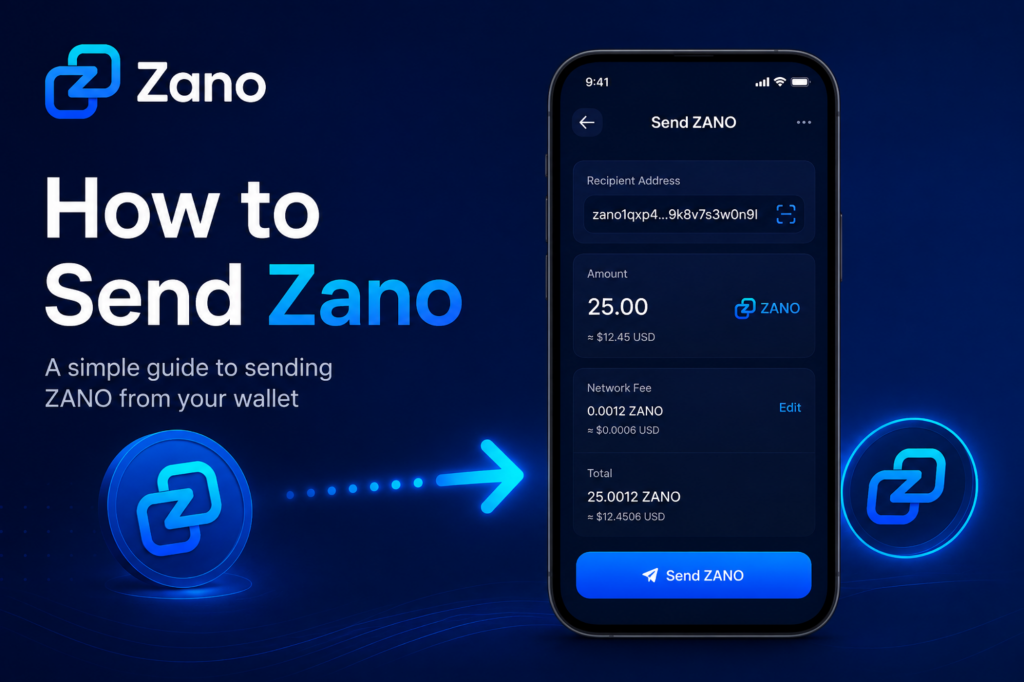
From the main wallet screen, select the Send option.

You’ll be asked to enter:

  • The recipient’s wallet address
  • The amount of ZANO to send

3. Enter the Recipient’s Address

Ask the recipient to provide their Zano wallet address.

You can:

  • Copy and paste the address.
  • Scan a QR code if you’re using the mobile wallet.

Always check that the first and last few characters match the address you were given before sending.

4. Choose the Amount to Send

Enter the amount of ZANO you’d like to send.

For example:

  • 1 ZANO
  • 10 ZANO
  • 25.5 ZANO

Your wallet will also show the network fee before you confirm the transaction.

5. Review the Transaction

Before sending, carefully review:

  • Recipient’s wallet address
  • Amount you’re sending
  • Network fee

Taking a few extra seconds here can help prevent mistakes.

6. Confirm and Send

If everything looks correct:

  1. Tap or click Send.
  2. Confirm the transaction if prompted.
  3. Wait a few moments while the transaction is processed.

Once confirmed, your wallet will show that the transaction has been sent.

7. Check Your Transaction

After sending, you can view the transaction in your wallet’s transaction history.

You should see:

  • Amount sent
  • Recipient address
  • Date and time
  • Confirmation status
  • Transaction ID (Hash)

The recipient will normally receive the funds once the transaction has been confirmed by the network.

8. Common Mistakes to Avoid

Here are a few simple tips:

  • Double-check the wallet address before sending.
  • Never send more than you intended.
  • Make sure you have enough ZANO to cover the network fee.
  • Never share your wallet’s recovery seed or private keys.

9. Frequently Asked Questions

Can I cancel a transaction after sending?

No. Once a transaction has been confirmed on the blockchain, it cannot normally be reversed.

What if I send ZANO to the wrong address?

Unfortunately, cryptocurrency transactions are generally irreversible. Always verify the address before confirming.

Is there a fee for sending ZANO?

Yes. Like most blockchains, Zano charges a small network fee to process transactions.

10. Summary

Sending ZANO is straightforward once you’ve used your wallet a few times.

Remember these simple steps:

  1. Open your wallet.
  2. Enter the recipient’s address.
  3. Choose the amount.
  4. Review the details.
  5. Confirm the transaction.

Taking a few extra moments to check the address and amount can help ensure your transaction is completed safely.

11. Sources

Disclaimer: ZanoNews.com is an independent news and information website. This article is for informational purposes only and should not be considered financial, investment, or legal advice.

How to Receive ZANO

Now that you’ve created your Zano wallet, you’re ready to receive your first ZANO.

Whether you’re receiving ZANO from a friend, another wallet, or a cryptocurrency exchange, the process is simple and only takes a few steps.

This guide explains everything you need to know in easy-to-understand language.

If you haven’t created your wallet yet, read our guide 👇

How to Create Your First Zano Wallet

Table of Contents

  1. What Is a Wallet Address?
  2. Find Your Wallet Address
  3. Share Your Wallet Address
  4. Receive ZANO from Another Person
  5. Receive ZANO from a Cryptocurrency Exchange
  6. Check Your Wallet
  7. Common Mistakes to Avoid
  8. Frequently Asked Questions
  9. What’s Next?
  10. Sources

1. What Is a Wallet Address?

A wallet address is a unique address that allows you to receive ZANO.

Think of it like an email address.

Just as someone needs your email address to send you an email, they need your wallet address to send you ZANO.

Your wallet address is safe to share with others.

However, your password, recovery phrase, and private keys should never be shared.

2. Find Your Wallet Address

Open your Zano Wallet.

On the main screen, you’ll usually see a Receive button or section.

Click Receive to view your wallet address.

Most Zano wallets also display a QR code, which makes it easy for someone to send you ZANO by scanning it.

3. Share Your Wallet Address

When someone wants to send you ZANO:

  1. Click the Copy button to copy your wallet address.
  2. Paste the address into a message or email.
  3. Or let the sender scan your QR code.

Before sending your address, quickly check that it has copied correctly.

Using the Copy button is much safer than typing the address manually.

4. Receive ZANO from Another Person

If someone is sending you ZANO:

  1. Share your wallet address or QR code.
  2. Ask the sender to double-check the address before sending.
  3. Wait for the transaction to be processed by the Zano network.

Once the transaction is confirmed, your wallet balance will update automatically.

5. Receive ZANO from a Cryptocurrency Exchange

If you’ve bought ZANO on an exchange and want to move it into your wallet:

  1. Log in to your exchange account.
  2. Go to the Withdraw page.
  3. Select ZANO.
  4. Paste your Zano wallet address into the withdrawal address field.
  5. Enter the amount you want to withdraw.
  6. Review the details carefully.
  7. Confirm the withdrawal.

Before confirming, always make sure you’re sending ZANO to your Zano wallet address.

6. Check Your Wallet

After the transaction has been sent, it needs to be confirmed by the Zano blockchain.

Once confirmed:

  • Your wallet balance will increase.
  • The transaction will appear in your transaction history.
  • Your ZANO will be ready to use.

If you don’t see the transaction immediately, don’t panic. It can take a little time depending on network conditions.

7. Common Mistakes to Avoid

Avoid these common mistakes:

  • Copying only part of your wallet address.
  • Typing the address manually instead of copying it.
  • Sending ZANO to the wrong wallet address.
  • Sharing your password.
  • Sharing your recovery phrase or private keys.

Taking a few extra seconds to check the wallet address can help prevent mistakes.

8. Frequently Asked Questions

Is my wallet address private?

No.

Your wallet address is public and can safely be shared with anyone who wants to send you ZANO.

Can someone access my wallet if they know my wallet address?

No.

Your wallet address only allows people to send you ZANO.

Your password, recovery phrase, and private keys protect your wallet and should always remain private.

How long does it take to receive ZANO?

Most transactions are confirmed within a short time, although this can vary depending on network activity.

Can I receive ZANO more than once?

Yes.

You can use the same wallet address to receive ZANO as many times as you like.

9. What’s Next?

Congratulations!

You’ve successfully learned how to receive ZANO.

The next step is learning how to send ZANO to another wallet safely and securely.

We recommend reading:

How to Send Your ZANO

10. Sources

Disclaimer: ZanoNews.com is an independent news and information website. This article is for informational purposes only and should not be considered financial, investment, or legal advice.

How to Create Your First Zano Wallet

Now that you’ve downloaded and installed the official Zano Wallet, it’s time to create your first wallet.

If you haven’t downloaded and installed the wallet yet, read our guide 👉 How to Download and Install the Official Zano Wallet.

If you’re new to cryptocurrency, don’t worry. Creating a Zano wallet is quick, free, and only takes a few minutes.

This guide explains each step in simple language, helping you create your wallet safely and understand the information you’ll see during the setup process.

Table of Contents

  1. What Does It Mean to Create a Wallet?
  2. Before You Begin
  3. Creating Your First Wallet
  4. Choosing a Strong Password
  5. Back Up Your Wallet
  6. Understanding Your Wallet Address
  7. Your Wallet Is Ready
  8. Frequently Asked Questions
  9. What’s Next?
  10. Sources

1. What Does It Mean to Create a Wallet?

Creating a wallet doesn’t create cryptocurrency.

Instead, it creates a secure digital account that allows you to:

  • Store your ZANO
  • Send and receive payments
  • View your transaction history
  • Access features of the Zano ecosystem

Think of your wallet like a digital safe.

Only you should have access to it.

2. Before You Begin

Before creating your wallet, make sure you have:

  • Downloaded the official Zano Wallet.
  • Installed the wallet on your device.
  • A few minutes to complete the setup.
  • A safe place to store your recovery information.

If you haven’t installed the wallet yet, read our guide 👇

How to Download and Install the Official Zano Wallet

3. Creating Your First Wallet

Once you’ve opened the Zano Wallet:

  1. Select Create New Wallet.
  2. Enter a name for your wallet (optional, but helpful if you plan to create more than one wallet).
  3. Create a strong password.
  4. Confirm your password.
  5. Continue with the setup.

The wallet will then generate your new wallet.

This process only takes a few seconds.

4. Choosing a Strong Password

Your password helps protect your wallet if someone gains access to your computer or phone.

A good password should:

  • Be at least 12 characters long.
  • Include uppercase and lowercase letters.
  • Include numbers.
  • Include special characters.
  • Be unique and not used for any other account.

Avoid using:

  • Your name
  • Your birthday
  • Simple passwords like 123456 or password

A password manager can help you generate and securely store strong passwords.

5. Back Up Your Wallet

This is the most important step.

During the setup process, the wallet will provide recovery information that allows you to restore access to your wallet if your device is lost, stolen, or damaged.

Make sure you:

  • Write down your recovery seed or backup information.
  • Store it somewhere safe.
  • Keep more than one secure copy if possible.
  • Never share it with anyone.

If someone gains access to your recovery information, they can access your wallet.

6. Understanding Your Wallet Address

After your wallet has been created, you’ll see your wallet address.

This address is similar to an email address.

You can safely share it with others when you want to receive ZANO.

For example:

  • You can share your wallet address with a friend who wants to send you ZANO.
  • You can use it when withdrawing ZANO from an exchange.

Your wallet address is public.

Your password and recovery information are private and should never be shared.

7. Your Wallet Is Ready

Congratulations!

You now have your first Zano wallet.

From here, you can:

  • Receive your first ZANO.
  • Send ZANO to another wallet.
  • View your transaction history.
  • Explore other features of the Zano ecosystem.

Take a few moments to become familiar with the wallet interface before making your first transaction.

8. Frequently Asked Questions

Is creating a Zano wallet free?

Yes.

The official Zano Wallet is free to download, install, and use.

Can I create more than one wallet?

Yes.

Many users create separate wallets for different purposes, such as personal savings, business use, or testing.

Can I change my password later?

Yes.

If needed, you can change your wallet password after the wallet has been created.

What happens if I lose my computer?

If you’ve safely backed up your recovery information, you can restore your wallet on another device.

Without a backup, you may permanently lose access to your wallet.

9. What’s Next?

Now that you’ve created your wallet, you’re ready to receive your first ZANO.

We recommend continuing with these beginner guides:

  • How to Receive Your First ZANO
  • How to Send Your First ZANO
  • How to Back Up Your Zano Wallet
  • Understanding Confidential Assets
  • How Zano Staking Works

Each guide builds on the previous one, helping you become more confident using the Zano ecosystem.

10. Sources

Disclaimer: ZanoNews.com is an independent news and information website. This article is for informational purposes only and should not be considered financial, investment, or legal advice.

What Is Zano? A Beginner’s Guide

If you’re new to cryptocurrency, you’ve probably heard about Bitcoin and Ethereum. But what is Zano, and why are more people paying attention to it?

Zano is a privacy-focused blockchain designed to make digital payments secure, confidential, and easy to use. It combines modern privacy technology with features for businesses, developers, and everyday users.

Whether you’re completely new to crypto or simply curious about Zano, this guide explains everything in simple language.

Table of Contents

  1. What Is Zano?
  2. Why Was Zano Created?
  3. Key Features of Zano
  4. What Can You Do With Zano?
  5. Is Zano Good for Beginners?
  6. Where Should You Start?
  7. Frequently Asked Questions
  8. Final Thoughts

1. What Is Zano?

Zano is a Layer 1 blockchain launched in 2019 that focuses on privacy, security, and usability.

Unlike many cryptocurrencies where transactions can be viewed publicly, Zano keeps transaction details private by default. This means the sender, receiver, and transaction amount remain confidential while still being securely verified on the blockchain.

Its goal is to provide digital money that protects financial privacy without sacrificing security.

2. Why Was Zano Created?

Many blockchains allow anyone to view wallet balances and transaction history.

While transparency has advantages, it also means anyone can potentially track your financial activity.

Zano was built to give users greater financial privacy while remaining decentralized and secure.

3. Key Features of Zano

3.1 Privacy by Default

Every Zano transaction is private, helping protect your financial information from public view.

3.2 Low Transaction Fees

Sending Zano costs only a small network fee, making it suitable for everyday payments.

3.3 Fast Transactions

Transactions are confirmed quickly, allowing users to send and receive funds without long waiting times.

3.4 Hybrid Consensus

Zano uses a hybrid Proof-of-Work and Proof-of-Stake (PoW + PoS) consensus model to help secure the network while allowing eligible holders to earn staking rewards.

3.5 Confidential Assets

One of Zano’s standout features is Confidential Assets, which allow developers and businesses to create private digital assets while keeping transaction information confidential.

3.6 Cross-Chain Transfers

Recent network upgrades allow native ZANO to move between supported blockchain ecosystems while maintaining Zano’s privacy-focused infrastructure.

4. What Can You Do With Zano?

Zano can be used in many different ways:

  • Send private payments
  • Receive payments securely
  • Stake ZANO to earn rewards
  • Create Confidential Assets
  • Buy and sell on ZanoBay
  • Explore decentralized applications built on Zano

5. Is Zano Good for Beginners?

Yes.

Zano is designed to be beginner-friendly while offering advanced privacy features for experienced users.

If you’re just starting, learning how to install the wallet and securely back up your recovery seed is the best place to begin.

6. Where Should You Start?

If you’re new to Zano, these guides are recommended:

  1. Install the Zano Wallet
  2. Create Your First Wallet
  3. Back Up Your Recovery Seed
  4. Learn How Staking Works
  5. Understand Zano Privacy
  6. Explore Confidential Assets

7. Frequently Asked Questions

7.1 Is Zano anonymous?

Zano is privacy-focused, meaning transaction details are confidential by default while the blockchain remains secure and verifiable.

7.2 Can I stake Zano?

Yes. Eligible holders can stake ZANO to help secure the network and earn rewards.

7.3 Is Zano open source?

Yes. Zano is an open-source blockchain project, allowing anyone to inspect the code and contribute to development.

8. Final Thoughts

Zano is more than just another cryptocurrency. It is a privacy-first blockchain designed for secure payments, confidential digital assets, and long-term usability.

Whether you’re looking to make private transactions, earn staking rewards, or simply learn about privacy-focused blockchain technology, Zano provides a solid starting point.

If you’re completely new to Zano, continue with the Getting Started guides below to learn how to install your wallet, create your first address, and begin exploring the ecosystem.

Learn more:

Disclaimer: ZanoNews.com is an independent news and information website. This article is for informational purposes only and should not be considered financial, investment, or legal advice.

Privacy Is “Common S3nse”: Why Zano’s Message Matters

Privacy should not be complicated.

Neither should security, controlling your own money, or sending a transaction without asking for permission.

That is the simple message behind a recent X post from Eléonore Blanc, reposted by Zano:

“Privacy is Common S3nse. Security is Common S3nse. Permissionless is Common S3nse. Censorship Resistance is Common S3nse. Self custody is Common S3nse.”

It is a short message, but it asks an important question:

Should financial privacy be a special feature, or something we simply expect?

Table of Contents

  1. What Does “Common S3nse” Mean?
  2. Why Financial Privacy Matters
  3. What Is Self-Custody?
  4. What Does Permissionless Mean?
  5. Understanding Censorship Resistance
  6. Where Zano Fits In
  7. Maybe Privacy Is Just Common Sense
  8. Sources

1. What Does “Common S3nse” Mean?

“S3nse” is a creative way of writing “sense.”

The message is simple.

Privacy, security and control over your own money should not feel unusual.

They should be normal.

2. Why Financial Privacy Matters

Imagine if anyone could see your bank balance and payment history.

Who you paid.

How much you sent.

When you sent it.

That would feel uncomfortable.

Yet many public blockchains allow transaction activity to be viewed through blockchain explorers.

Zano takes a different approach.

Zano is a privacy-focused blockchain where transactions are private by default. The goal is simple: your financial activity should remain your business.

3. What Is Self-Custody?

Self-custody means you control your crypto.

Instead of a bank or company holding your assets, you control your wallet and private keys.

This gives users more control, but also more responsibility.

Your keys.

Your wallet.

Your assets.

4. What Does Permissionless Mean?

Permissionless simply means you do not need approval from a company or bank to use the network.

There is no application form.

No opening hours.

No person deciding whether you are allowed to participate.

You can interact with the blockchain according to the network’s rules.

5. Understanding Censorship Resistance

Censorship resistance means making it difficult for one company or authority to simply stop a valid transaction.

Why does that matter?

Because owning money is one thing.

Being able to use it is another.

This idea has always been an important part of cryptocurrency.

6. Where Zano Fits In

Zano is building privacy directly into its blockchain.

Transactions are private by default.

Its Confidential Assets technology also allows private digital assets to be created and used on the Zano network.

The bigger idea is easy to understand:

Privacy is not an extra button you turn on. It is part of the system.

That is what makes Zano’s approach interesting.

7. Maybe Privacy Is Just Common Sense

We use passwords to protect our emails.

We lock our phones.

We close our curtains.

So why should our financial activity be completely public?

Privacy does not always mean someone has something to hide.

Sometimes, it simply means having control over what you choose to share.

Privacy.

Security.

Self-custody.

Financial freedom.

Maybe these ideas are not complicated after all.

Maybe they’re just Common S3nse.

Learn more about Zano at Zano.org.

8. Sources

Disclaimer: ZanoNews.com is an independent news and information website. This article is for informational purposes only and does not constitute financial or investment advice.