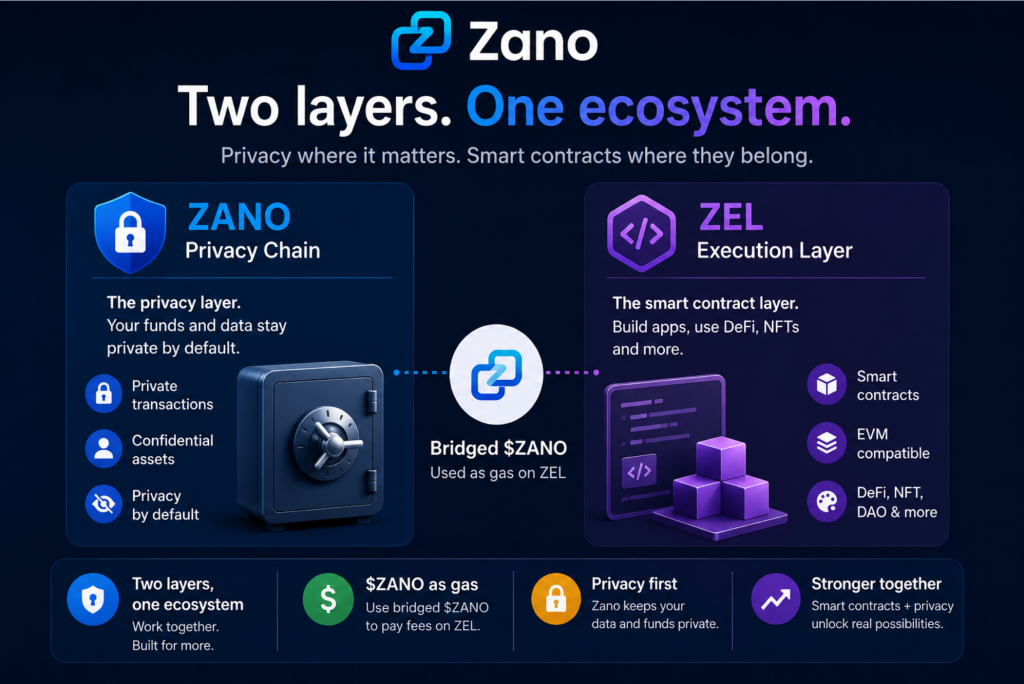
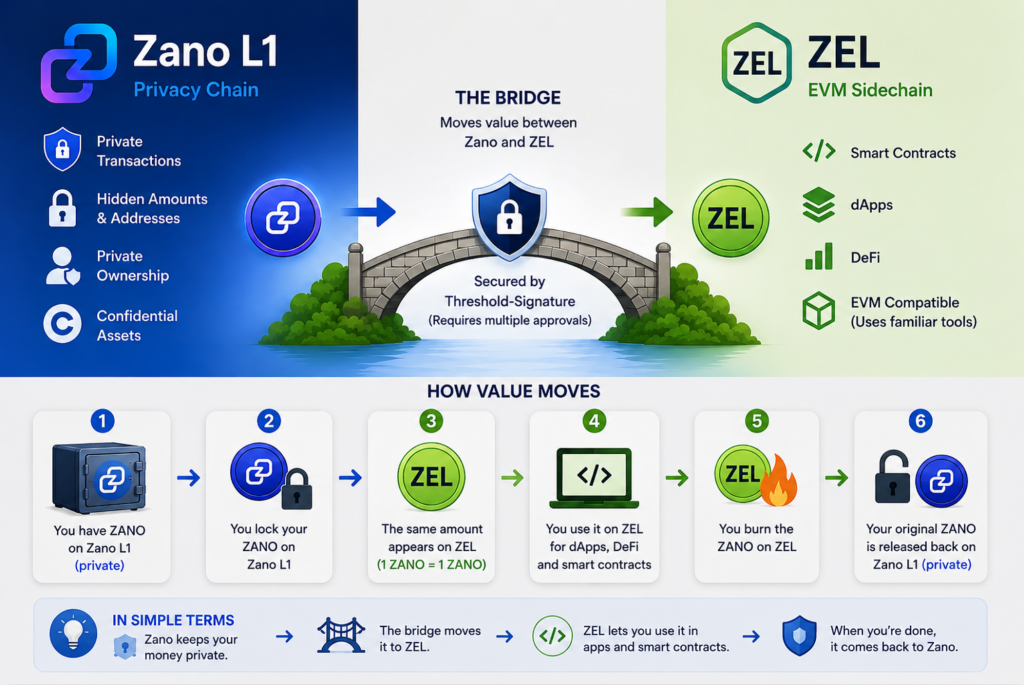
The idea is simple: Zano’s main blockchain remains focused on privacy, while ZEL provides an environment for smart contracts.
Smart contracts are programs that run on a blockchain. They can power applications such as decentralized exchanges, lending platforms and other Web3 services.
Instead of changing Zano’s privacy-focused Layer 1 to support these applications, ZEL will operate alongside it.
This gives the two layers different jobs:
Zano: Private transactions and assets
ZEL: Public and verifiable smart contracts
2. Where $ZANO Fits In
Bridged $ZANO will be used to pay for transactions and smart-contract activity on ZEL. These fees are known as “gas fees” and are similar to paying a small fee to use a service.
This means $ZANO will connect Zano’s privacy-focused blockchain with the new smart-contract environment on ZEL.
3. Privacy and Smart Contracts Have Different Roles
One of the key points from Zano’s post is that privacy and smart-contract transparency do not necessarily have to exist on the same layer.
Zano can keep its main blockchain focused on protecting private assets and transactions, while ZEL allows users and developers to interact with public, verifiable smart contracts.
In simple terms:
Private assets on Zano.
Verifiable smart contracts on ZEL.
The goal is to let each layer do what it was designed to do without compromising the other.
4. Learn More About ZEL
For readers who want a deeper explanation of how ZEL works, including the bridge between Zano and ZEL, what happens when $ZANO moves between the networks, and what developers could build on ZEL, read our full guide:
Zano’s roadmap currently lists the ZEL mainnet release as a Q4 2026 target, with the goal of bringing programmable smart contracts to the ecosystem while Zano L1 remains the privacy chain.
Disclaimer:ZanoNews.com is an independent news and information website. This article is for informational purposes only and should not be considered financial, investment, or legal advice.
Disclaimer:ZanoNews.com is an independent news and information website. This article is for informational purposes only and should not be considered financial, investment, or legal advice.
Zano’s upcoming Hard Fork 6 (HF6) is designed to make it easier for $ZANO to connect with other blockchains while keeping the network’s core privacy features intact.
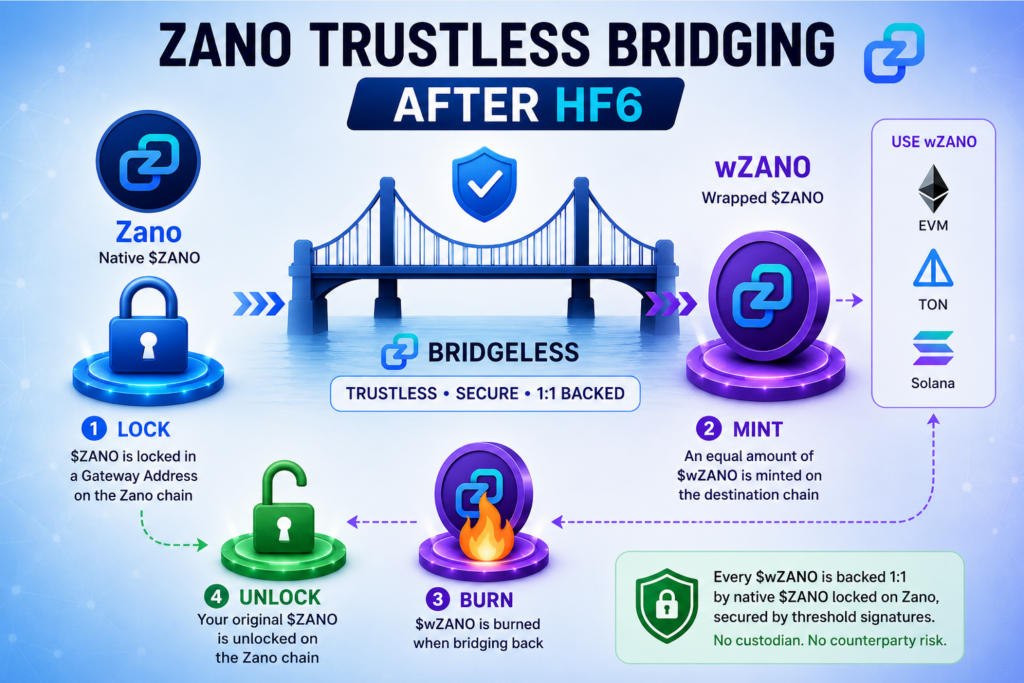
One of the most important changes is the ability to bridge native $ZANO to networks such as EVM chains, TON and Solana through Bridgeless.
Hard Fork 6 is a major Zano network upgrade introducing Gateway Addresses, among other improvements. Gateway Addresses are designed to make Zano easier for exchanges, wallets, bridges and other applications to integrate.
HF6 is scheduled to activate at block 3,833,000, expected between August 25 and 27, 2026.
In simple terms, trustless bridging means users do not need to rely on a person or company to hold their funds.
Instead, the process is secured by blockchain infrastructure and cryptographic mechanisms. No single party controls the complete key needed to access the locked funds.
3. How Does Zano Bridging Work?
The process is straightforward:
1. Lock $ZANO
Your native $ZANO is locked in a Gateway Address on the Zano blockchain. The funds are held by the protocol rather than by a company or individual.
2. Mint $wZANO
An equivalent amount of $wZANO, a wrapped version of Zano, is minted on the destination blockchain. This can be an EVM network (blockchains that support Ethereum-compatible apps), TON (The Open Network) or Solana, three different blockchain networks where $wZANO can be used.
3. Use $wZANO
You can then use $wZANO within the supported ecosystem, including applications and DeFi platforms.
4. Bridge Back
When you want to return to Zano, your $wZANO is burned. The corresponding native $ZANO is then unlocked from the Gateway Address.
The important part is that $wZANO is backed 1:1 by native $ZANO locked on the Zano side. Threshold signatures are used so that no single party holds the complete private key.
4. Why Is This Important?
Previously, Zano’s privacy-focused design could make integration more complicated for exchanges and other services.
HF6’s Gateway Addresses provide infrastructure specifically designed for services such as bridges, exchanges and DEXs. This could make it easier for more platforms to support Zano.
For users, this could eventually mean:
More ways to use $ZANO
Greater access to DeFi
More liquidity across different networks
Easier integration with wallets and exchanges
5. What Happens to Privacy?
Zano’s standard privacy remains intact on the Zano network.
However, there is an important point to understand: when $ZANO is bridged to a transparent blockchain, activity on that destination network can be publicly visible. Users return to Zano’s privacy-focused environment when they bridge their funds back.
In simple terms, HF6 creates a way for native $ZANO to move between ecosystems without requiring a traditional centralized custodian to sit in the middle.
This could make Zano more accessible to the wider crypto ecosystem while keeping privacy at the center of the Zano network.
Disclaimer:ZanoNews.com is an independent news and information website. This article is for informational purposes only and should not be considered financial, investment, or legal advice.
THORChain is a decentralized cross-chain liquidity protocol. In simple terms, it allows users to swap native cryptocurrencies across different blockchains without relying on a centralized exchange.
3. Why Is a Comeback Being Discussed?
THORChain has been an established name in cross-chain DeFi, but the crypto landscape has changed significantly.
The discussion will look at whether THORChain can attract new users, liquidity and attention while competing with newer projects.
4. Zano’s Role
Zano is joining the conversation as a co-host alongside THORChain, bringing another perspective to the discussion.
The episode should be interesting for anyone following privacy, DeFi and cross-chain technology.
5. What to Watch
The key question is simple: Can THORChain make a comeback, or is it too late?
Tune in to Crypto Quorum Episode 63 to hear the debate. ⚡
Disclaimer:ZanoNews.com is an independent news and information website. This article is for informational purposes only and should not be considered financial, investment, or legal advice.
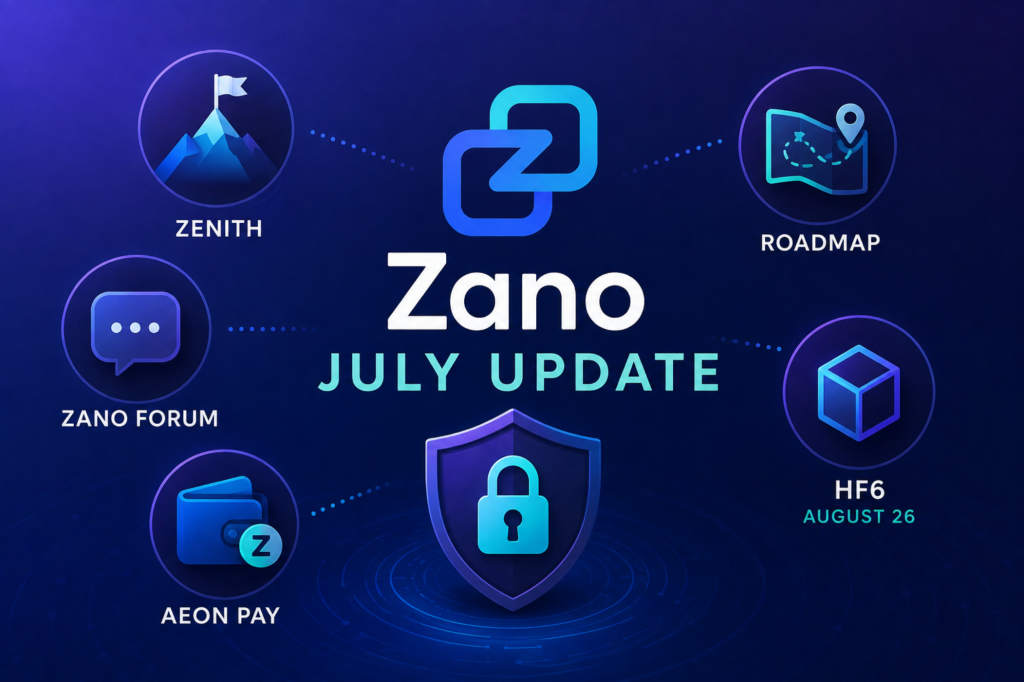
According to the July update, HF6 is scheduled to activate at block 3,833,000, with activation expected around August 26, 2026.
HF6 is an important network upgrade that introduces changes designed to improve Zano’s connectivity with the wider crypto ecosystem.
5. AEON Pay Cashback Campaign
The Zano and AEON Pay cashback campaign is also live.
The campaign gives Zano users another opportunity to use their cryptocurrency for payments through AEON Pay while participating in a cashback promotion.
This adds another practical use case to the growing Zano payment ecosystem.
6. What July Means for Zano
July’s update shows that Zano is working on several areas at the same time.
The project is looking ahead with Zenith and the Zano Execution Layer, improving community infrastructure with the new forum, preparing for HF6, and continuing to explore real-world payment use cases through AEON Pay.
Taken together, these updates show that Zano’s development is moving across multiple areas — from blockchain infrastructure and consensus to community and everyday crypto payments.
Disclaimer:ZanoNews.com is an independent news and information website. This article is for informational purposes only and should not be considered financial, investment, or legal advice.
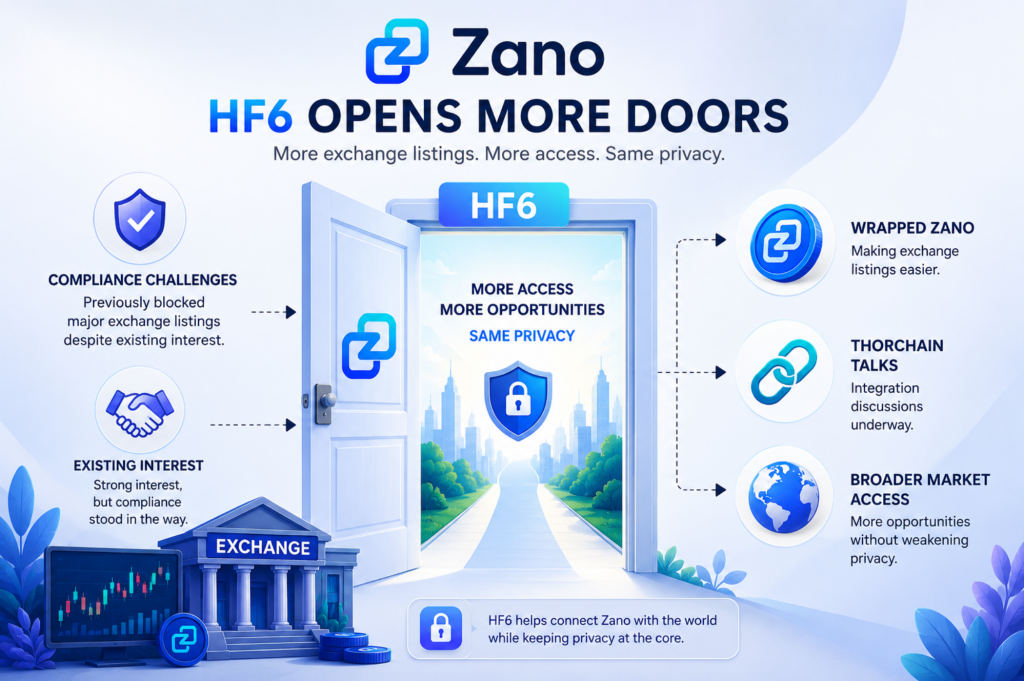
Zano has spent years building privacy directly into its blockchain. Now, Hard Fork 6 is also addressing another important challenge: making ZANO easier to access through exchanges and other parts of the cryptocurrency market.
A recent post from House of Chimera highlighted how compliance requirements have created challenges for Zano when it comes to major exchange listings, despite existing interest.
Exchange availability can make a big difference to how easily people can buy, sell and access a cryptocurrency.
For Zano, this has been an important challenge because its privacy-focused design can create additional considerations for exchanges and other platforms.
The latest HF6 developments could help address some of these barriers and make ZANO more accessible to the wider crypto market.
2. The Compliance Challenge
According to House of Chimera, compliance has previously prevented some major exchange listings for Zano, even where there was interest in supporting the project.
For exchanges, listing an asset involves more than simply adding deposits and withdrawals. Platforms also need to consider their compliance requirements and how an asset fits within their existing systems.
This has made wider exchange access an important area for Zano to address.
3. What HF6 Could Change
HF6 is designed to make Zano easier to connect with exchanges, bridges and decentralized platforms.
Rather than changing Zano’s privacy-focused foundation, the upgrade aims to make the network more accessible to services that want to support it.
This could give Zano more opportunities to connect with the wider cryptocurrency ecosystem.
4. Wrapped ZANO
One of the developments highlighted in the recent discussion is Wrapped ZANO.
Wrapped ZANO is a version of ZANO that can be used on other blockchain networks, making it easier for exchanges and other platforms to support and trade ZANO.
This could be particularly useful when it comes to exchange listings and broader market access.
The idea is simple: provide additional ways to access ZANO while keeping native ZANO on its privacy-focused network.
5. THORChain Discussions
House of Chimera also highlighted that THORChain integration discussions are underway.
THORChain provides infrastructure for cross-chain cryptocurrency activity, so a potential connection could give ZANO another route into the wider crypto ecosystem.
At this stage, however, these are discussions rather than a confirmed integration.
6. Keeping Privacy at the Centre
The key point is that greater market access does not necessarily mean giving up Zano’s privacy principles.
The project is looking for ways to make ZANO easier for exchanges and other platforms to support while maintaining the privacy-focused nature of its native network.
This creates a simple goal:
More access without weakening privacy.
7. What It Could Mean for Zano
If these developments move forward, they could give ZANO more opportunities to reach users through exchanges and other crypto infrastructure.
Wrapped ZANO could provide additional market access, while potential cross-chain integrations could create more ways for users to interact with the asset.
For Zano, HF6 could therefore represent more than a technical upgrade. It could also help connect the privacy-focused project with a broader cryptocurrency market.
Disclaimer:ZanoNews.com is an independent news and information website. This article is for informational purposes only and should not be considered financial, investment, or legal advice.
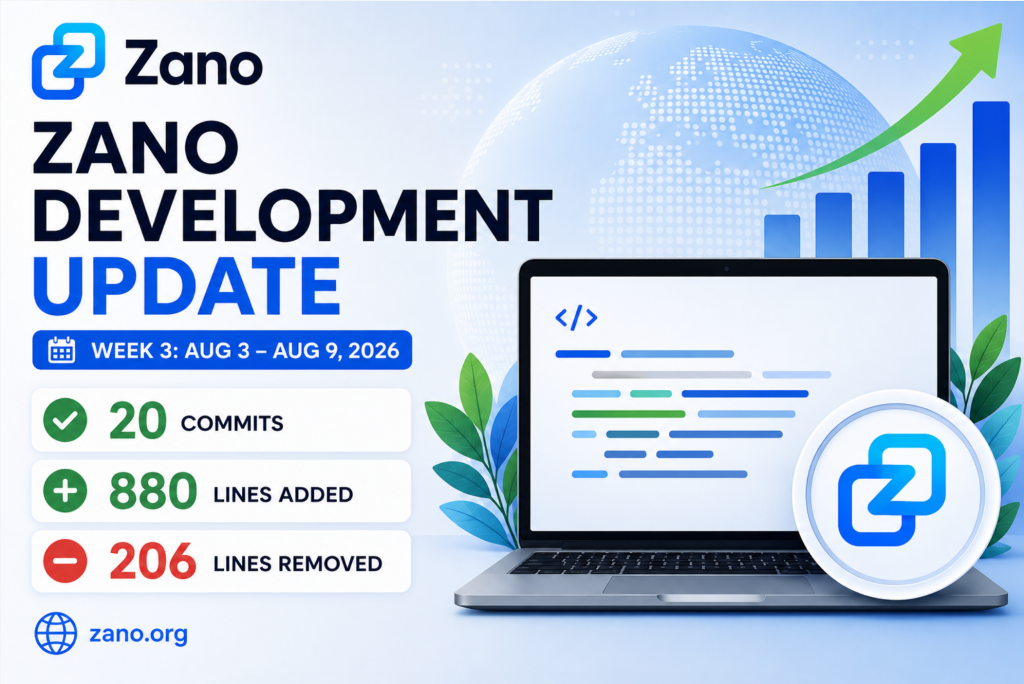
According to the latest development update shared by We Are Zano, the team recorded 20 commits between August 3 and August 9, 2026.
During the same period, developers:
Added: 880 lines of code Removed: 206 lines of code
That gives a simple picture of continued development work happening behind the scenes.
Zano is a privacy-focused blockchain where privacy is built into the protocol by default. Its ecosystem includes private transactions, Confidential Assets, staking, trading and other applications.
2. What Is a Commit?
A commit is simply a recorded set of changes made to a software project.
Think of it like editing a document. You make several changes, save those changes as a group, and record what was changed. That recorded update is a commit.
So when Zano reports 20 commits, it means developers recorded 20 separate sets of changes to the project’s code during that week.
It doesn’t mean there were only 20 individual changes. A single commit can contain many different changes.
3. What Do 880 Lines Added Mean?
The team reported 880 lines added.
This means developers added 880 lines of code to the relevant project repositories during the week.
It’s important to remember that:
More lines of code don’t necessarily mean better software.
One line of code can be extremely important, while hundreds of lines can sometimes be removed or replaced with a more efficient solution.
The number is better understood as a measure of development activity, rather than a direct measurement of progress or software quality.
4. Why Were 206 Lines Removed?
The update also shows that developers removed 206 lines of code.
Removing code is completely normal in software development.
Developers may remove code when they:
Replace an older solution
Fix bugs
Simplify the software
Improve efficiency
Remove code that is no longer needed
Refactor existing components
In other words, removing code isn’t necessarily a bad thing.
Sometimes, taking code away can make software cleaner, easier to maintain and more efficient.
5. What Do These Numbers Tell Us?
The simplest takeaway is that Zano development remains active.
During one week, developers recorded 20 commits while making both additions and removals to the codebase.
The numbers don’t tell us exactly what every commit accomplished, however.
For that reason, it would be misleading to say that 880 lines added automatically means Zano became 880 lines “better.”
Instead, these figures give the community a quick snapshot of developer activity.
The individual code changes provide more detail, but the overall message is simple:
The project continues to be actively developed.
6. Why Development Activity Matters for Zano
Software projects need continuous development to remain useful, secure and adaptable.
This is especially important for a blockchain because the technology has to support several areas at the same time, including:
Network security
Privacy
Wallet functionality
Developer tools
Confidential Assets
Trading
Ecosystem applications
Zano’s developer resources include APIs, blockchain data tools, Confidential Asset tools and resources for developers building applications on the network.
Zano also continues to work on major network improvements. For example, Hard Fork 6 is scheduled to activate at block 3,833,000, expected between August 25 and August 27, 2026, according to Zano’s official announcement.
This puts weekly development activity into a bigger context: blockchain development is an ongoing process rather than something that happens only when a major update is released.
7. The Bigger Picture
It is easy to focus on major announcements in crypto:
New partnerships. New listings. New products. Major upgrades.
But much of the work required to make those developments possible happens quietly in the codebase.
Weekly development statistics provide a small window into that work.
For Zano, this includes maintaining and improving a privacy-focused blockchain that supports not only $ZANO but also Confidential Assets and applications built around the network.
So while 20 commits, 880 lines added and 206 lines removed may not sound exciting to everyone, they represent another week of work behind the scenes.
8. The Road Ahead
The latest numbers provide a simple snapshot of where development activity stood during August 3–9, 2026.
The more important question is what these ongoing development efforts contribute to over time.
For developers, the individual code changes matter.
For crypto users, what ultimately matters is what those changes deliver:
A more capable network, better tools, stronger privacy and a growing ecosystem.
As Zano continues developing its technology and preparing for major network changes such as Hard Fork 6, weekly development activity will remain one of the quieter but important parts of the project’s progress.
Disclaimer:ZanoNews.com is an independent news and information website. This article is for informational purposes only and should not be considered financial, investment, or legal advice.
Holding cryptocurrency is one thing. Actually using it in everyday life is another.
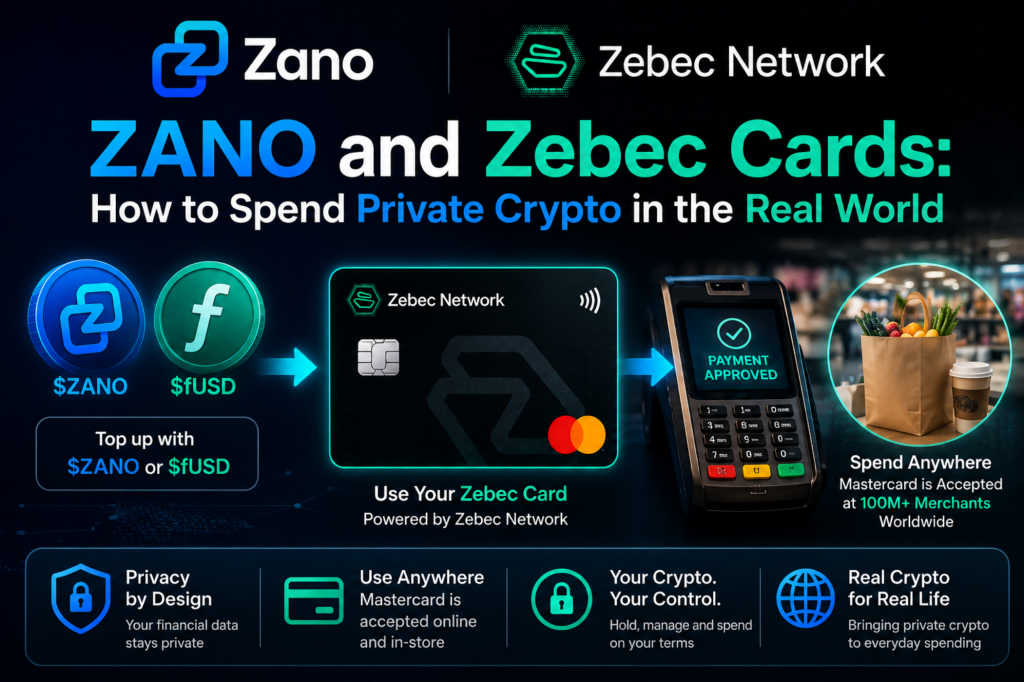
For Zano users, the integration with Zebec helps bridge that gap by connecting privacy-focused crypto with familiar card payments.
Users can use $ZANO and $fUSD with supported Zebec cards and spend through the Mastercard network, bringing Zano closer to everyday purchases such as groceries, travel, dining and online shopping.
Zano is a privacy-focused blockchain designed to give users greater control over their financial information.
Zebec focuses on making digital assets more useful in the real world, including through crypto payment cards.
The Zano and Zebec integration was first announced in August 2025, when Zano announced its integration with Zebec Network, making it possible to spend $ZANO through Zebec’s Mastercard payment cards.
The integration then went live, with $ZANO supported on Zebec Silver and Carbon cards.
Today, the idea is simple:
Hold ZANO privately → load your supported Zebec card → use it for everyday spending.
2. What Are Zebec Cards?
Zebec Cards are crypto-linked payment cards that allow users to spend supported digital assets through the Mastercard payment network.
For someone unfamiliar with crypto, the easiest way to think about it is:
Your crypto provides the funds, while the card gives you a familiar way to spend them.
You don’t need a supermarket, restaurant or online store to directly accept ZANO. The merchant simply needs to accept Mastercard, subject to the card’s availability and applicable terms.
This makes the experience much closer to using a traditional payment card.
3. How Can You Spend ZANO?
The process is designed to be straightforward.
You hold $ZANO in your wallet and use it to fund a supported Zebec card.
You can then use that card for everyday purchases wherever Mastercard is accepted.
For example:
ZANO → Zebec Card → Mastercard → Your purchase
The merchant does not need to run a Zano wallet or understand blockchain technology.
For the customer, it can feel much like using any other payment card.
Zano has also confirmed that its custom Zano Card powered by Zebec can be used at Mastercard merchants and supports Apple Pay and Google Pay.
4. What About fUSD?
ZANO isn’t the only Zano ecosystem asset that can be used with Zebec.
fUSD, Zano’s privacy-focused stablecoin, can also be loaded onto a Zebec Mastercard and spent where Mastercard is accepted. Zano highlighted this functionality in its September 2025 project update.
The difference is simple:
$ZANO is Zano’s native cryptocurrency, while fUSD is designed to maintain a stable value.
This gives users another option when they want to spend within the Zano ecosystem without directly spending ZANO.
5. A Simple Example: Buying Groceries
Imagine you have ZANO in your wallet and want to buy groceries.
Traditionally, you might need to:
Send ZANO to an exchange.
Sell it for traditional currency.
Withdraw the money.
Use your bank card to buy your groceries.
A supported Zebec card can simplify that process.
You can use your ZANO to fund the card and then pay at a Mastercard-accepting supermarket.
Your crypto stays in the crypto ecosystem until you need to spend it.
That is the practical value of connecting Zano with an established payment network.
6. Why This Matters for Privacy
This is where the Zano connection becomes particularly interesting.
Zano is built around financial privacy. Its blockchain is designed to keep sensitive transaction information from being publicly exposed in the same way it can be on transparent blockchains.
But it is important to understand that Zano’s blockchain privacy does not mean a Mastercard card purchase is completely anonymous.
The two systems operate at different layers.
Zano: Provides the privacy-focused crypto asset and blockchain infrastructure.
Zebec: Provides the card-based spending infrastructure.
Mastercard: Provides the payment network used by participating merchants.
So the benefit is not that every part of a real-world card transaction becomes invisible.
The benefit is that users have a practical way to take a privacy-focused digital asset and use it in the existing payment system.
7. How This Builds on the Original Zano × Zebec Integration
The original article focused on the announcement of the integration and introduced Zebec’s different card options.
The integration subsequently went live, allowing ZANO to be spent through supported Zebec cards.
Since then, the ecosystem has continued to develop. Zano later confirmed the availability of its custom Zebec-powered card, as well as fUSD spending through a Zebec Mastercard.
So the story has moved from:
“Zano is integrating with Zebec”
to:
“Zano can be used through Zebec for real-world spending.”
8. What This Means for Zano Users
For Zano users, this gives their digital assets more practical utility.
Instead of simply:
Hold → Send → Trade
there are now more ways to use Zano:
Hold → Send → Trade → Spend
And Zebec is only one part of Zano’s growing payment ecosystem.
Zano has also expanded real-world spending through other services, including AEON Pay and PrivacyGateway, giving users additional ways to use ZANO in everyday situations.
The bigger goal is simple: make privacy useful, not just something that exists on the blockchain.
9. The Road Ahead
For years, one of the biggest questions around cryptocurrency has been:
“What can I actually do with it?”
The answer is becoming increasingly practical.
With Zano and Zebec, users have another way to take privacy-focused digital assets such as ZANO and fUSD beyond the wallet and into everyday spending.
The important point is not that crypto is replacing Mastercard or traditional payment networks.
It is that these networks can become a bridge between privacy-focused digital money and the existing financial world.
For Zano, that represents another step toward making privacy more than a blockchain feature.
It makes privacy part of a broader, usable financial experience.
As more payment providers, merchants and services support Zano and its Confidential Assets, the gap between holding private digital money and actually using it in the real world can continue to shrink.
Disclaimer:ZanoNews.com is an independent news and information website. This article is for informational purposes only and should not be considered financial, investment, or legal advice.
Its main blockchain, or Layer 1, is designed to keep transactions, amounts and other financial information private.
But there is one area where Zano has not traditionally focused: smart contracts.
Smart contracts are programs that run on a blockchain. They power things like decentralized exchanges, lending platforms, token applications and other Web3 services.
So how can Zano add smart contracts without changing the privacy that makes Zano different?
The answer is Zano Execution Layer, or ZEL.
ZEL is designed to be a separate blockchain that works alongside Zano. It can handle smart contracts and other applications while Zano’s main blockchain continues to focus on privacy.
Zano is the private blockchain. ZEL is the smart-contract blockchain connected to it.
Zano’s main blockchain handles things such as:
Private transactions
Private ownership
Confidential Assets
Hidden transaction amounts
Hidden addresses
ZEL is designed to handle:
Smart contracts
Decentralized applications
Trading
Lending
Other EVM-based applications
Zano’s roadmap describes ZEL as an EVM-compatible sidechain. This means developers can use technology and tools similar to those used on Ethereum and other EVM networks.
In simple terms, ZEL gives Zano an additional place where smart contracts can run.
2. Why Does Zano Need ZEL?
This is easier to understand if we look at what Zano is designed to do.
Zano’s main blockchain is built around privacy.
When you make a transaction on Zano, information such as the amount and addresses can be protected.
Smart contracts work differently.
For smart contracts to operate properly, their activity generally needs to be visible and verifiable by the network.
For example, if you use a decentralized exchange, people need to be able to verify what the smart contract is doing.
This creates a challenge:
How can Zano add smart contracts without turning its private blockchain into a public one?
ZEL provides one possible answer.
Instead of putting smart contracts directly onto Zano’s private Layer 1, Zano can have a separate environment for smart contracts.
So:
Zano L1 = privacy
ZEL = smart contracts
This allows the two networks to focus on different jobs.
3. How Do Zano and ZEL Work Together?
Think of Zano and ZEL as two connected roads.
One road is designed for private activity.
The other is designed for public applications.
The connection between them is a bridge.
The basic journey looks like this:
Zano L1
↓
Bridge
↓
ZEL
You can move ZANO from the Zano blockchain to ZEL.
Once there, it can be used with smart contracts and applications on ZEL.
You can then move the value back to Zano.
The important thing is that ZEL does not replace Zano.
It works alongside it.
4. What Happens When ZANO Moves to ZEL?
This is one of the most important parts to understand.
Let’s say you have:
100 ZANO
on the Zano blockchain.
You want to use that ZANO on ZEL.
First, your 100 ZANO is locked on Zano.
Then, 100 ZANO is represented on ZEL.
So you effectively have:
100 ZANO on Zano → locked
100 ZANO on ZEL → available to use
The amount is intended to remain 1:1.
You can then use the ZANO on ZEL to interact with applications and pay transaction fees.
What happens when you want to come back?
The process works in reverse.
Your ZANO on ZEL is burned.
The corresponding ZANO locked on the Zano side is then released.
So the basic process is:
Lock → Move to ZEL → Use → Burn → Return to Zano
5. What Is the Bridge?
The bridge is the part that connects Zano and ZEL.
You can think of it like a secure doorway between two buildings.
Zano is one building.
ZEL is another.
The bridge allows assets to move between them.
The ZEL design uses a threshold-signature bridge.
That sounds complicated, but the basic idea is quite simple.
Instead of one person having a single key that can control the bridge, multiple authorized participants are involved.
A required number of them must work together to approve certain actions.
This reduces the risk of one person being able to control the funds by themselves.
Why is the bridge important?
Because the bridge is where the two networks meet.
Zano and ZEL are separate networks.
Therefore, users need to trust the mechanism that connects them.
This means the bridge is an important part of ZEL’s overall security.
6. Is ZEL Private Like Zano?
No.
This is extremely important.
Zano and ZEL have different purposes.
Zano
Zano’s Layer 1 is designed for privacy.
ZEL
ZEL is designed for public smart-contract activity.
Once ZANO moves to ZEL, activity on ZEL can be publicly visible.
For example, imagine you move:
1,000 ZANO → ZEL
The 1,000 ZANO is represented on ZEL.
If you then use it to:
Trade
Swap tokens
Use a lending application
Interact with a smart contract
Send it to another ZEL address
that activity takes place on the public ZEL network.
So users should not think of ZEL as another privacy layer.
A simple way to remember it is:
Zano protects your privacy. ZEL provides the smart-contract environment.
7. What Can People Do on ZEL?
The biggest reason for creating ZEL is to give developers a place to build applications connected to the Zano ecosystem.
Because ZEL is designed to be EVM-compatible, developers can use familiar smart-contract technology.
This could allow applications such as:
Decentralized exchanges
Users could potentially trade tokens through smart contracts.
Lending
Users could potentially lend assets or borrow against them.
Token applications
Developers could create different types of blockchain-based tokens.
DeFi applications
Developers could build financial applications using smart contracts.
Other Web3 applications
EVM compatibility could make it easier for developers already familiar with Ethereum-style development to work with ZEL.
8. Why Not Put Smart Contracts Directly on Zano?
This is probably the biggest question.
Why create another blockchain instead of simply adding smart contracts to Zano?
The answer comes back to privacy.
Zano’s main blockchain was built with privacy as a priority.
Smart contracts generally need public information about their code, state and execution so that users and network participants can verify what is happening.
Trying to make Zano L1 do both jobs could make its design much more complicated.
Instead, Zano can separate the two:
Zano L1
Private transactions and assets.
ZEL
Public smart-contract execution.
This means Zano does not necessarily have to give up its privacy-focused design just to gain access to smart contracts.
9. What Are the Risks?
ZEL also introduces some things users need to understand.
Because ZEL is a separate network, users are not relying only on Zano.
They also need to consider:
ZEL’s validators
ZEL’s network security
Smart-contract security
The bridge
The people or entities operating the bridge
The bridge is particularly important because it connects the value on Zano with its representation on ZEL.
House of Chimera’s analysis of ZEL describes the threshold-signature bridge as the main trust boundary between the two networks.
That does not automatically mean the system is unsafe.
It simply means users should understand that ZEL and Zano are separate systems with different security and trust assumptions.
10. Why Could ZEL Be Important for Zano?
Zano already has a clear identity:
A blockchain focused on financial privacy.
ZEL could add something that Zano has been missing:
Smart-contract functionality.
This could potentially make the Zano ecosystem more useful to developers and users.
Instead of trying to turn Zano into another Ethereum-like blockchain, the project is taking a different approach.
It can keep the private Layer 1 while providing another network for public applications.
This creates a simple division:
Zano
ZEL
Privacy
Smart contracts
Private transactions
Public transactions
Confidential Assets
EVM applications
Private ownership
DeFi and other applications
Zano L1
Separate execution layer
The idea is not necessarily to make Zano and ZEL identical.
It is to make them work together.
11. ZEL Explained in One Simple Example
Imagine you have €1,000 in a private bank account.
You want to use €500 of it in a public online marketplace.
You move €500 from your private account into the marketplace.
Once there, you can use it to buy things, trade or interact with different services.
The marketplace is public, so activity there can be visible.
When you’re finished, you move your money back into the private account.
The basic idea behind ZEL is similar:
Zano = private place where your value starts
↓
Bridge = moves the value
↓
ZEL = public place where smart contracts can be used
↓
Bridge = brings the value back
↓
Zano = private environment again
Of course, blockchain bridges are technically much more complicated than this example, but this is the basic concept.
12. A New Direction for Zano
ZEL could give Zano a way to expand into smart contracts without changing the main purpose of its Layer 1.
Instead of forcing privacy and public smart contracts into the same blockchain, the architecture separates them.
Zano handles privacy.
ZEL handles smart contracts.
The bridge connects them.
According to Zano’s roadmap, the ZEL public testnet is targeted for Q3 2026, with a mainnet target of Q4 2026. These are roadmap targets and can change as development continues.
If the system works as intended, ZEL could give developers a familiar EVM environment while allowing Zano’s main blockchain to remain focused on what it does best: privacy.
In simple terms, ZEL is Zano’s attempt to add smart contracts without turning Zano itself into a transparent smart-contract blockchain.
Disclaimer:ZanoNews.com is an independent news and information website. This article is for informational purposes only and should not be considered financial, investment, or legal advice.
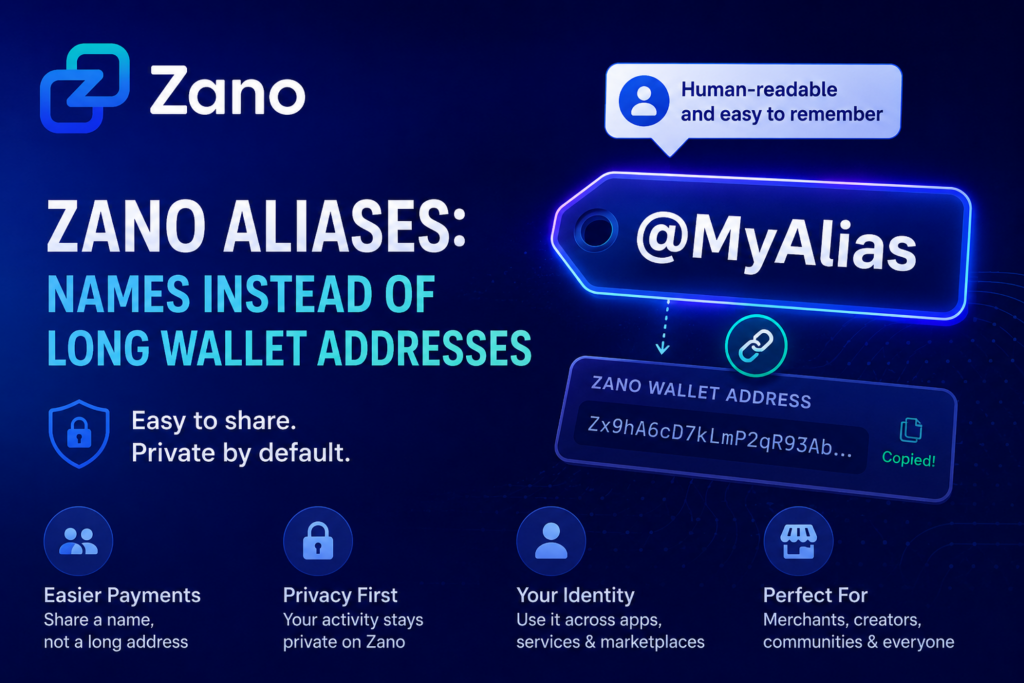
Cryptocurrency wallet addresses are often long, complicated, and difficult to remember. Zano Aliases solve this by replacing them with simple, human-readable names while keeping your privacy intact.
In Episode 6 of the Zano Explainer Series, the Zano team explains how Zano Aliases work and why they make private payments easier. Watch the video below! 👇
A Zano Alias is a unique, human-readable name that replaces your long Zano wallet address.
Instead of sharing a complex wallet address filled with random letters and numbers, you can simply share a name like:
@MyAlias
Think of it as your username on the blockchain. It’s easier to remember, simpler to share, and far more convenient when sending or receiving payments.
2. Why Wallet Addresses Can Be Confusing
Traditional cryptocurrency wallet addresses are designed for security, but they aren’t very user-friendly.
A typical wallet address can contain dozens of random characters, making it difficult to type or verify. Even a small mistake can cause unnecessary stress when sending funds.
Zano Aliases remove that complexity by replacing long addresses with simple names that are much easier for people to use.
3. How Zano Aliases Work
When you register an alias, it becomes a public link to your Zano wallet address.
Instead of asking someone to send funds to a long wallet address, they only need your alias.
Behind the scenes, the payment is still delivered securely to your wallet using Zano’s privacy technology. The only difference is that the experience becomes much more user-friendly.
4. Do Aliases Affect Privacy?
No.
Although your alias is publicly linked to your Zano wallet address, your wallet activity remains private.
This means you still benefit from Zano’s advanced privacy features while enjoying a much easier way to receive payments.
In simple terms:
Your alias is public.
Your wallet address is linked to that alias.
Your transactions and wallet activity remain private.
You get improved usability without giving up privacy.
Aliases are useful for anyone who wants an easier way to receive private payments.
Some examples include:
Merchants accepting cryptocurrency from customers.
Content creators receiving private tips.
Communities and DAOs simplifying internal payments.
Everyday users who prefer sharing a memorable name instead of a long wallet address.
7. More Than Just Payments
Zano Aliases have uses beyond sending and receiving cryptocurrency.
They can also act as a decentralized digital identity across applications built on the Zano platform.
For example, aliases can:
Serve as a universal identifier for Zano-based services.
Connect to reputation systems.
Identify users on marketplaces like ZanoTrade.
Help create an anonymous digital identity while preserving privacy.
As the Zano ecosystem continues to grow, aliases could become an important building block for many future applications.
8. Why Zano Aliases Matter
Cryptocurrency doesn’t have to be complicated.
By replacing long wallet addresses with easy-to-remember names, Zano Aliases make private digital payments more accessible without sacrificing privacy.
Whether you’re accepting payments, supporting creators, running a business, or simply sending funds to friends, aliases help remove one of the biggest usability challenges in crypto.
It’s a simple feature that makes using private digital money feel much more natural for everyone.
Disclaimer:ZanoNews.com is an independent news and information website. This article is for informational purposes only and should not be considered financial, investment, or legal advice.
Zebec Network is a blockchain-powered financial infrastructure platform focused on modernizing payments, payroll, treasury management, and real-world asset (RWA) solutions. The platform aims to make money movement faster, more efficient, and programmable through blockchain technology.
Next week, Zebec Network will host a special X Spaces event featuring Solstice Finance, Freedom Dollar (USDf), Tokenised GBP (tGBP), and Zano to discuss how stablecoins are evolving beyond simply maintaining a price peg.
Join the Conversation
Follow the announcement from Zebec Network and check out Zano’s repost below. If you’re interested in the future of privacy, stablecoins, and digital currencies, be sure to tune in live on 11 August.
We’ll discuss how stablecoins are moving beyond the peg through yield, privacy, and new onchain currencies, as well as what this evolution means for the future of digital money.
The panel will explore how innovations such as yield-bearing stablecoins, privacy-preserving transactions, and new on-chain currencies are shaping the future of digital money. The discussion will also examine what these developments could mean for users, businesses, and the broader blockchain ecosystem.
How stablecoins are moving beyond traditional pegs
Yield-generating digital dollars
The importance of privacy in digital payments
The rise of new on-chain currencies
What these innovations mean for the future of digital money
For the Zano community, the event offers an opportunity to hear how privacy-focused blockchain technology fits into the next generation of digital finance alongside other emerging payment solutions.
Disclaimer:ZanoNews.com is an independent news and information website. This article is for informational purposes only and should not be considered financial, investment, or legal advice.
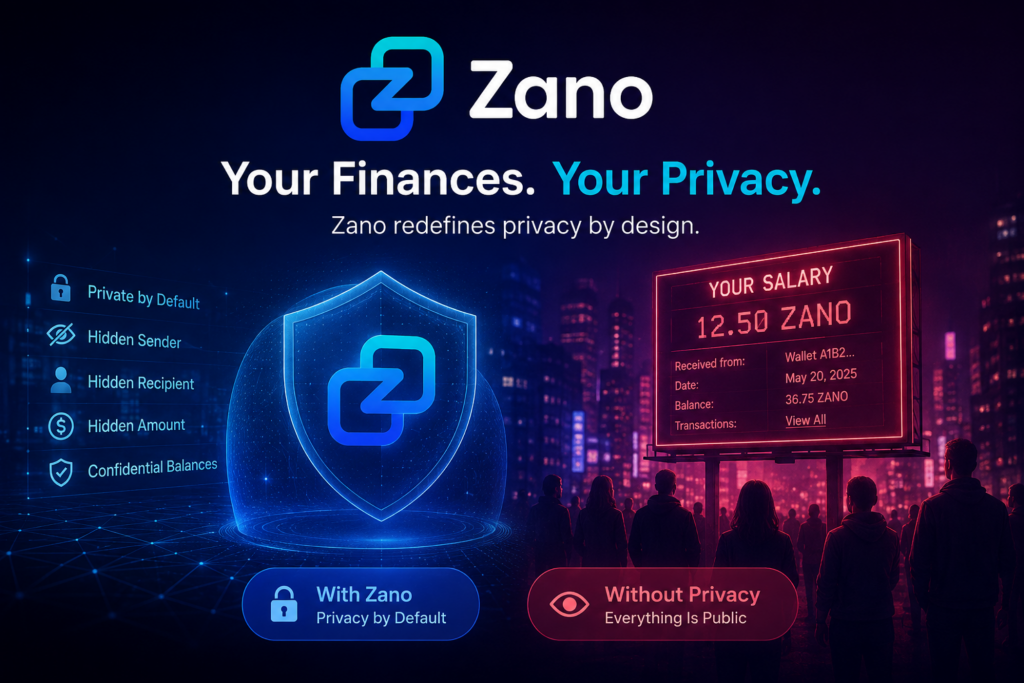
Imagine if your salary was posted on a public billboard every time you got paid. Your neighbours, employer, friends, and even strangers could see how much you earn, how much money you have, and every payment you make.
Most people would never accept that in everyday life.
Yet this is exactly how many transparent blockchains work.
A blockchain is a digital ledger that records transactions.
On many popular blockchains, every transaction is publicly recorded forever. While your real name may not appear, your wallet address, transaction history, balances, and transfers can often be viewed by anyone using a blockchain explorer.
If someone links your wallet address to your identity—perhaps because you shared it online, received a payment publicly, or interacted with a regulated exchange—they may be able to see much more than you intended.
This level of transparency is one of the defining features of many public blockchains.
2. Why Does Financial Privacy Matter?
Think about your everyday finances.
Your bank doesn’t publish your account balance.
Your employer doesn’t announce your salary to the public.
Your payment history isn’t available for anyone to browse.
That’s because financial privacy is something most people expect.
Privacy doesn’t mean you have something to hide. It means you have control over who can see your personal financial information.
Without that privacy, people may become targets for scams, phishing attacks, theft, or unwanted attention simply because their financial activity is publicly visible.
3. How Transparent Blockchains Can Expose Your Finances
Let’s go back to the salary example.
Imagine your employer pays you in cryptocurrency using a transparent blockchain.
Anyone who knows your wallet address could potentially see:
Your salary amount
Every payment you receive
Every payment you send
Your wallet balance
Your complete transaction history
Over time, someone could build a detailed picture of your financial life.
For businesses, this can also be a concern. Competitors may be able to track payments, suppliers, or business activity through public blockchain records.
While blockchain transparency helps with verification, it also means financial information can become far more public than many people expect.
4. Why Zano Was Built Differently
Zano takes a different approach.
Instead of making every transaction publicly visible, Zano was designed with financial privacy as a core feature.
By default, Zano protects important transaction details, including:
The sender
The recipient
The transaction amount
Wallet balances from public view
This allows users to send and receive digital assets without exposing their financial activity to the entire world.
Privacy on Zano isn’t an add-on or an optional setting. It is built directly into the blockchain protocol.
The goal is simple: digital money should provide a level of financial privacy similar to what people already expect when using their bank account or making everyday payments.
5. Privacy Is More Than Secrecy
Some people mistakenly believe privacy is only useful for people doing something wrong.
In reality, privacy protects everyone.
It helps individuals keep their salaries confidential.
It helps businesses protect sensitive commercial information.
It helps families keep their finances private.
Just as we lock the front door of our homes, use passwords for our online accounts, and expect our banking information to remain confidential, many people believe digital money should also protect personal financial information.
Privacy is about security, personal choice, and protecting sensitive information—not hiding illegal activity.
6. Key Takeaways
Many transparent blockchains make transaction history and wallet balances publicly visible.
If someone links your wallet address to your identity, they may be able to view your financial activity.
Financial privacy helps protect personal and business information from unwanted exposure.
Zano was built with privacy by default, keeping transaction details such as the sender, recipient, and amount confidential.
As blockchain adoption grows, protecting financial privacy is becoming an increasingly important consideration for users and businesses alike.
Disclaimer:ZanoNews.com is an independent news and information website. This article is for informational purposes only and should not be considered financial, investment, or legal advice.
A wallet backup is a copy of the important information needed to restore access to your wallet.
If something happens to your device, you can use your backup to recover your wallet on another device.
Without a backup, your ZANO may be impossible to recover.
2. Why Is Backing Up Your Wallet Important?
Many people assume their wallet is automatically backed up like photos or contacts on a phone.
That is usually not the case with self-custody wallets.
Creating a backup helps protect you if:
Your phone is lost or stolen.
Your computer stops working.
You accidentally delete your wallet.
You buy a new phone or computer.
A backup gives you peace of mind because you know you can restore your wallet if needed.
3. What Should You Back Up?
According to the official Zano documentation, there are two important things According to the official Zano documentation, there are two important things you should protect:
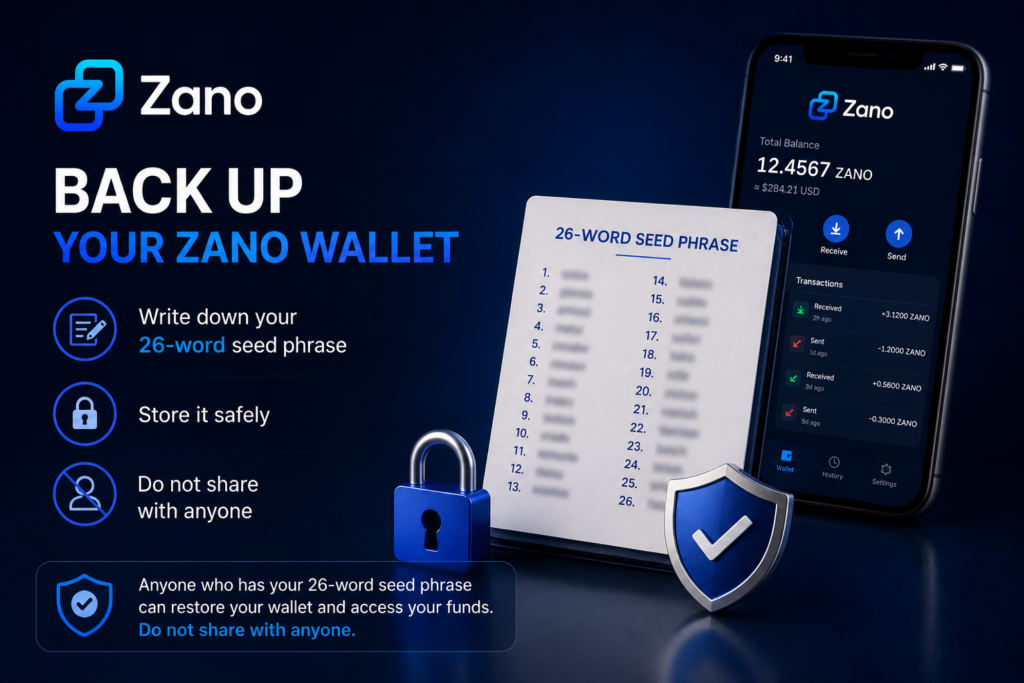
Your 26-word seed phrase – This is the most important part of your backup because it allows you to recover your wallet if your phone or computer is lost, damaged, or replaced.
Your wallet file – This is a copy of your wallet that can be useful if you want to use the same wallet on another device. It should be stored securely alongside your 26-word seed phrase.
Both should be stored securely and never shared with anyone.
4. How to Back Up Your Zano Wallet
Follow these simple steps:
Create your wallet using the official Zano Wallet.
Write down your 26-word seed phrase exactly as shown.
Store the seed phrase in a safe place where only you can access it.
Keep a copy of your wallet file in a secure location if you plan to use another device in the future.
Make sure your wallet is protected with a strong password.
If you haven’t created a wallet yet, read our guide:
Once you’ve backed up your wallet, it’s important to store it somewhere safe.
Here are some best practices:
Store your 26-word seed phrase in a secure place that only you can access.
Keep a copy of your wallet file in a safe location if you choose to back it up.
If possible, keep a second backup in another secure location.
Make sure your backup is protected from theft, loss, or accidental damage.
Avoid storing sensitive wallet information where other people can easily access it.
Remember:
Anyone who has access to your 26-word seed phrase can restore your wallet and access your funds. Always keep it private.
6. What to Avoid
To help keep your wallet safe, avoid these common mistakes:
Never share your 26-word seed phrase with anyone.
Never send your 26-word seed phrase to someone claiming to be “customer support.”
Don’t store your 26-word seed phrase where other people can easily find it.
Don’t lose or forget your wallet password.
Don’t rely on memory alone to remember your recovery information.
Remember:
Anyone who has your 26-word seed phrase can restore your wallet and access your funds. Keep it private at all times. If someone gains access to your wallet backup, they may also be able to access your funds.
7. How to Test Your Backup
Before you store your backup away, take a moment to make sure everything is correct.
Check that:
Your 26-word seed phrase has been written down correctly.
All 26 words are complete, easy to read, and in the correct order.
Your wallet file has been safely copied, if you chose to back it up.
Your wallet password has been stored securely, if needed.
Taking a few extra minutes to check your backup now can save you a lot of trouble in the future.
8. Common Questions
What is the most important thing to back up?
Your 26-word seed phrase is the most important part of your backup. It allows you to recover your wallet if your phone or computer is lost, damaged, or replaced.
Can I create another backup later?
Yes. You can create another backup whenever you want. It’s a good idea to make a new backup if you create a new wallet or make important changes to your wallet.
Can someone access my wallet if they have my 26-word seed phrase?
Yes. Anyone who has your 26-word seed phrase can restore your wallet and access your funds. Never share it with anyone.
9. Key Takeaways
Always back up your 26-word seed phrase.
Keep your wallet file in a secure location if you choose to back it up.
Never share your 26-word seed phrase with anyone.
Store your backups somewhere safe and private.
Checking your backup now can help protect your ZANO in the future.
Disclaimer:ZanoNews.com is an independent news and information website. This article is for informational purposes only and should not be considered financial, investment, or legal advice.
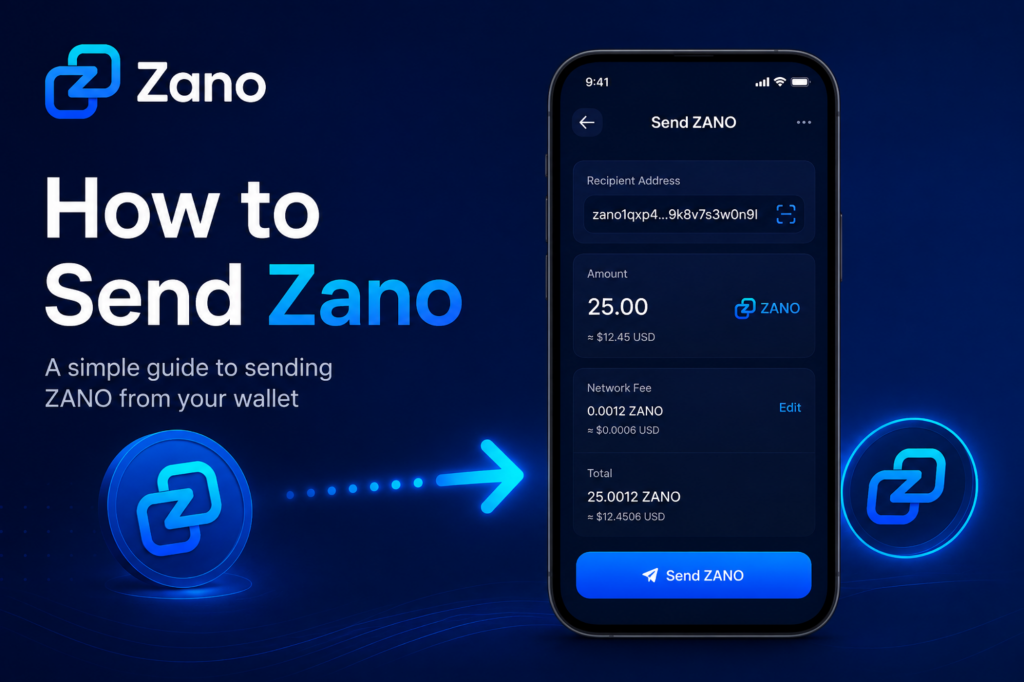
If you’ve already created your wallet and received your first ZANO, you’re ready to make your first transaction.
Sending ZANO is simple and usually takes just a few moments. This guide explains every step in plain language so that anyone—even if you’re completely new to cryptocurrency—can follow along with confidence.
Before continuing, make sure your wallet contains some ZANO.
Disclaimer:ZanoNews.com is an independent news and information website. This article is for informational purposes only and should not be considered financial, investment, or legal advice.
Disclaimer:ZanoNews.com is an independent news and information website. This article is for informational purposes only and should not be considered financial, investment, or legal advice.
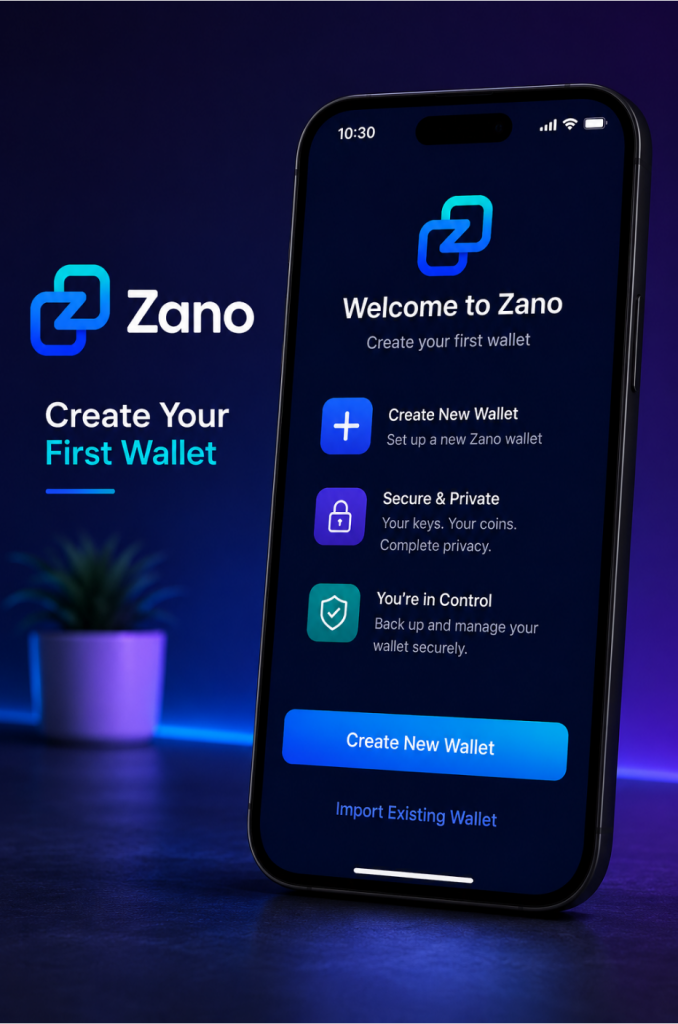
If you’re new to cryptocurrency, don’t worry. Creating a Zano wallet is quick, free, and only takes a few minutes.
This guide explains each step in simple language, helping you create your wallet safely and understand the information you’ll see during the setup process.
Enter a name for your wallet (optional, but helpful if you plan to create more than one wallet).
Create a strong password.
Confirm your password.
Continue with the setup.
The wallet will then generate your new wallet.
This process only takes a few seconds.
4. Choosing a Strong Password
Your password helps protect your wallet if someone gains access to your computer or phone.
A good password should:
Be at least 12 characters long.
Include uppercase and lowercase letters.
Include numbers.
Include special characters.
Be unique and not used for any other account.
Avoid using:
Your name
Your birthday
Simple passwords like 123456 or password
A password manager can help you generate and securely store strong passwords.
5. Back Up Your Wallet
This is the most important step.
During the setup process, the wallet will provide recovery information that allows you to restore access to your wallet if your device is lost, stolen, or damaged.
Make sure you:
Write down your recovery seed or backup information.
Store it somewhere safe.
Keep more than one secure copy if possible.
Never share it with anyone.
If someone gains access to your recovery information, they can access your wallet.
6. Understanding Your Wallet Address
After your wallet has been created, you’ll see your wallet address.
This address is similar to an email address.
You can safely share it with others when you want to receive ZANO.
For example:
You can share your wallet address with a friend who wants to send you ZANO.
You can use it when withdrawing ZANO from an exchange.
Your wallet address is public.
Your password and recovery information are private and should never be shared.
7. Your Wallet Is Ready
Congratulations!
You now have your first Zano wallet.
From here, you can:
Receive your first ZANO.
Send ZANO to another wallet.
View your transaction history.
Explore other features of the Zano ecosystem.
Take a few moments to become familiar with the wallet interface before making your first transaction.
8. Frequently Asked Questions
Is creating a Zano wallet free?
Yes.
The official Zano Wallet is free to download, install, and use.
Can I create more than one wallet?
Yes.
Many users create separate wallets for different purposes, such as personal savings, business use, or testing.
Can I change my password later?
Yes.
If needed, you can change your wallet password after the wallet has been created.
What happens if I lose my computer?
If you’ve safely backed up your recovery information, you can restore your wallet on another device.
Without a backup, you may permanently lose access to your wallet.
9. What’s Next?
Now that you’ve created your wallet, you’re ready to receive your first ZANO.
We recommend continuing with these beginner guides:
How to Receive Your First ZANO
How to Send Your First ZANO
How to Back Up Your Zano Wallet
Understanding Confidential Assets
How Zano Staking Works
Each guide builds on the previous one, helping you become more confident using the Zano ecosystem.
Disclaimer:ZanoNews.com is an independent news and information website. This article is for informational purposes only and should not be considered financial, investment, or legal advice.
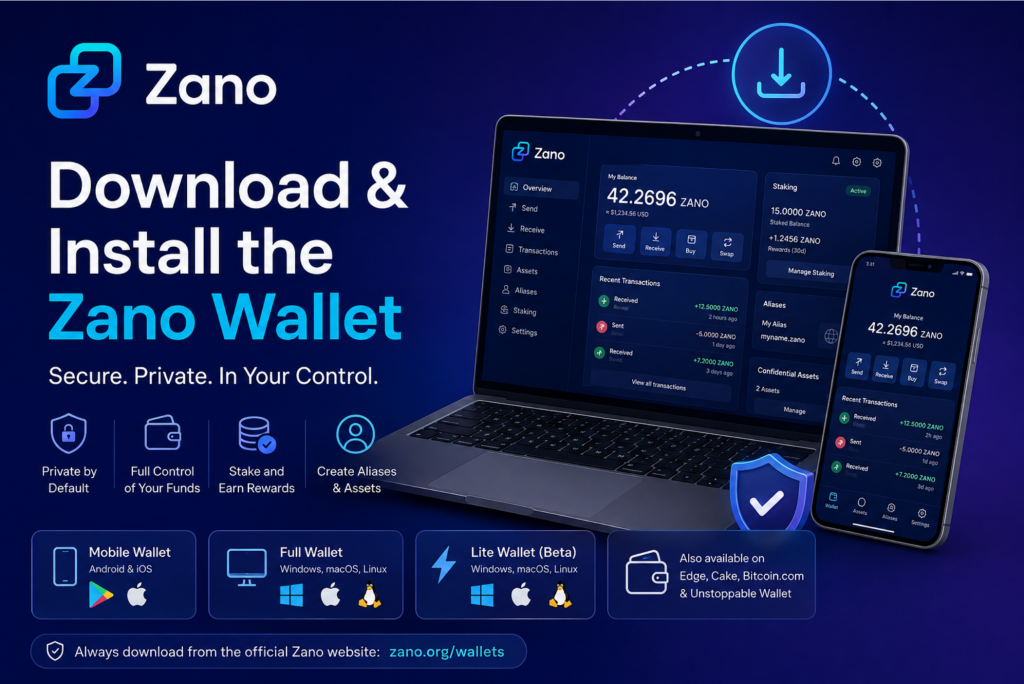
Whether you’re new to cryptocurrency or already familiar with blockchain, the first step to using Zano is choosing the right wallet.
This guide explains the different wallet options available, how to safely download the official wallet, and how to install it on Windows, macOS, or Linux.
By the end of this guide, you’ll know exactly which wallet is right for you and how to get started.
A Zano wallet is software that allows you to access and manage your ZANO cryptocurrency.
Think of it like a digital wallet. Instead of holding cash or bank cards, it securely stores the information needed to access your cryptocurrency on the Zano blockchain.
With a Zano wallet, you can:
Store your ZANO securely
Send and receive ZANO
View your transaction history
Receive and manage Confidential Assets
Register Zano aliases
Stake ZANO (using the Full Wallet)
Unlike a traditional bank account, you remain in full control of your wallet and your funds.
2. Why You Need a Wallet
Before you can receive, buy, or send ZANO, you’ll need a wallet.
The official Zano wallets are designed to make using the network simple while giving you complete control over your cryptocurrency.
Using an official wallet also gives you access to the latest features developed for the Zano ecosystem.
3. Choose the Right Zano Wallet
Zano offers several wallet options depending on how you plan to use the network.
If you’re unsure which one to choose, the explanations below will help.
Avoid downloading wallet software from unofficial websites or links shared by unknown sources.
5. Installing the Wallet
Installing the wallet is simple.
Windows
Download the Windows installer.
Open the downloaded file.
Follow the installation wizard.
Click Install.
Launch the wallet when the installation is complete.
macOS
Download the macOS version.
Open the downloaded DMG file.
Drag the wallet into your Applications folder.
Open the wallet.
Linux
Download the Linux version.
Follow the installation instructions for your Linux distribution.
Launch the wallet.
If you’re using the Full Wallet, it will begin synchronizing with the blockchain after installation. Depending on your internet connection, this may take some time.
6. Setting Up Your Wallet for the First Time
When you launch the wallet for the first time, you’ll be given two options:
Create a new wallet
Restore an existing wallet
If you’re new to Zano:
Select Create a New Wallet.
Create a strong password.
Write down your recovery seed or backup information.
Store it in a safe location.
Your recovery information is the only way to restore access to your wallet if your computer or phone is lost, stolen, or damaged.
Never share your recovery seed or private keys with anyone.
7. Keeping Your Wallet Safe
Good security habits will help protect your cryptocurrency.
Always remember to:
Download wallets only from the official Zano website.
Keep your wallet software updated.
Use a strong password.
Back up your wallet.
Store your recovery seed somewhere secure.
Be cautious of phishing websites and fake wallet downloads.
Anyone who has access to your recovery phrase can access your cryptocurrency.
8. Frequently Asked Questions
Which wallet is best for beginners?
For most people, the official Mobile Wallet is the easiest way to get started.
Can I use both the Mobile Wallet and the Full Wallet?
Yes.
Many users keep smaller amounts in their Mobile Wallet for everyday transactions while using the Full Wallet for staking or long-term storage.
What’s the difference between the Lite Wallet and the Full Wallet?
The Lite Wallet connects to a remote node and doesn’t download the full blockchain.
The Full Wallet downloads the entire blockchain, giving you access to every feature while also helping support the network.
Are all official Zano wallets free?
Yes.
All official Zano wallets are free to download and use.
9. What’s Next?
Congratulations! You’ve successfully downloaded and installed your first Zano wallet.
Your next step is learning how to create your first wallet address, secure it properly, and prepare it to send and receive ZANO.
Disclaimer:ZanoNews.com is an independent news and information website. This article is for informational purposes only and should not be considered financial, investment, or legal advice.